
How to Find a UPS Tracking Number: how to find ups tracking number Made Easy
Let's cut right to it. The absolute fastest way to find your UPS tracking number is to check the shipping confirmation email you got from the retailer. If you shipped the package yourself at a store, it’s printed on your physical receipt. In almost every case, you're looking for an 18-character code that kicks off with '1Z'.
Your Guide to Locating Any UPS Tracking Number
Losing a tracking number feels a bit like losing the keys to your car—you know the package is out there, but you have no way of knowing where it is or when it will show up. It’s frustrating. The good news is that this crucial string of characters is rarely gone for good. It's usually just hiding in plain sight.
You just need to know where to look. With UPS handling a staggering 5.7 billion packages in 2024, that's an average of 22.4 million deliveries every single day. That scale means millions of us are constantly juggling tracking numbers, whether we're running a business or just waiting for an online order to arrive. For a deeper dive into what makes this number so critical, you can learn more about what is a tracking number and how it works.
Common Places to Find Your Number
Think of this as your go-to checklist for tracking down that number. We'll skip the fluff and get straight to the most likely spots.
Most of the time, your number will be in one of these places:
Retailer Confirmation Emails: This is ground zero for online shoppers. It's almost always there.
Physical UPS Receipts: If you shipped something directly from a UPS store, this is your golden ticket.
Marketplace Order History: For sites like Amazon or eBay, the number is tucked into your account's order details.
UPS My Choice® Dashboard: This is a fantastic free service from UPS that automatically finds and tracks packages headed to your address.
Key Takeaway: Your tracking number is your package's digital passport. It gets scanned at every stop along its journey, which is how you get those real-time updates online.
To make your search even easier, here's a quick cheat sheet for where to look first.
Where to Find Your UPS Tracking Number Fast
This little table breaks down the most common places to find your tracking number, who it's for, and a quick tip to speed things up.
Source Location | Best For | Pro Tip |
|---|---|---|
Shipping Confirmation Email | Online shoppers and e-commerce customers | Search your inbox for "UPS" or "your order has shipped" to quickly locate the email containing the tracking link. |
Physical Receipt or Label | In-store shippers and package returners | Look for the 18-character code starting with "1Z" clearly printed below the main barcode. Keep this receipt until delivery is confirmed. |
Retailer's Website | Frequent shoppers on sites like Amazon or eBay | Log into your account, navigate to "My Orders" or "Order History," and click on the specific order to view shipment details. |
UPS My Choice Account | Anyone receiving multiple packages | Sign up for free to have packages addressed to you automatically appear on your dashboard, often before you even receive a shipping notification. |
Once you’ve located that number, you’re all set to track your package from the seller's warehouse right to your front door.
Where to Look: Checking Emails and Order Histories
When you buy something online, the retailer almost always sends you a shipping confirmation email the second your package is on its way. This email is your golden ticket—it contains the UPS tracking number you need.
Instead of scrolling endlessly through your inbox, your email's search bar is your best friend. It’s the fastest way to dig up that specific message without the headache.
How to Search Your Inbox Like a Pro
You don’t need the exact subject line. Just think about the key words that would definitely be in that email.
Try plugging these search terms into your inbox:
"UPS tracking" + [Retailer Name]: This is usually the most direct hit. For example, "UPS tracking Zappos".
"Your order has shipped": A classic subject line used by thousands of online stores.
[Order Number]: If you have your order number handy, searching for it will pull up every email related to that purchase, including the one with the tracking info.
Once you’ve found the email, the tracking number is usually front and center. It will be a long string of numbers and letters, often hyperlinked, under a heading like "Track Your Package." A standard UPS number nearly always begins with "1Z".
Think of your shipping confirmation email as the official handoff. It’s the first and most reliable place to find the digital key to your package's entire journey.
Digging into Your Retailer's Order History
If your inbox is a disaster zone or you accidentally hit delete, don't worry. Your next best bet is the retailer's website. Every e-commerce site keeps a detailed history of your purchases, complete with shipment details.
When dealing with online marketplaces, checking your digital receipts is crucial. For instance, if you bought something on eBay, there are specific methods for finding and managing receipts from eBay that will lead you right to the tracking information.
To find it, just log in to your account on the site where you bought the item. Look for a section called "My Orders," "Order History," or something similar in your account dashboard.
Find the order you're waiting on and click into the details. You should see the UPS tracking number listed right there, often next to a status update like "Shipped." Many sites, like Amazon, make this a clickable link that takes you straight to the UPS tracking page.
This method is foolproof, giving you the exact same information that was in the original email. If you need more general tips, our guide on https://instantparcels.com/how-to-find-tracking-number offers broader strategies that can also be a big help.
Reading Physical Receipts and Shipping Labels
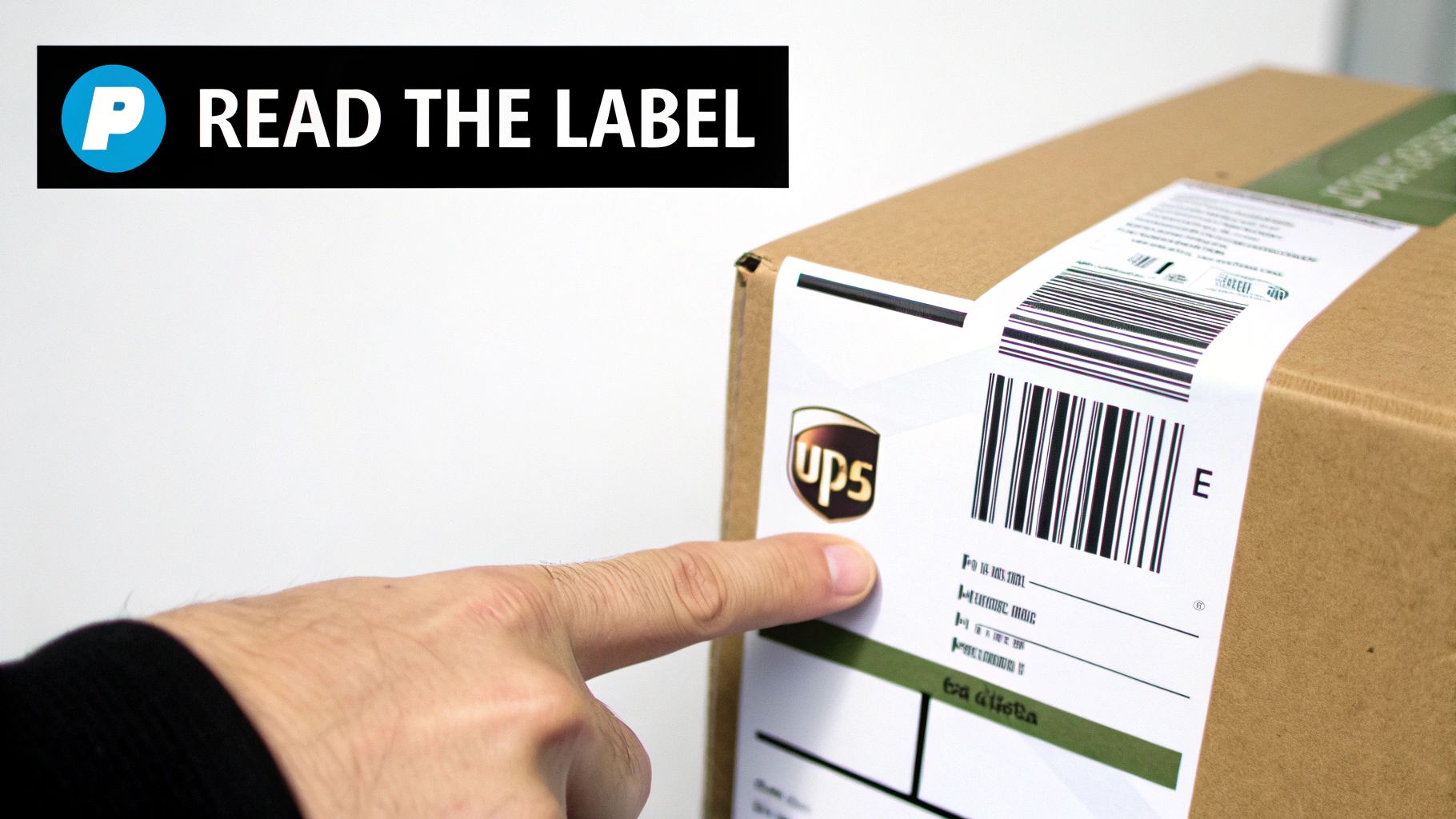
If you handled the package yourself—maybe you dropped it off at a UPS Store or taped a pre-paid return label to a box—your tracking number is hiding in plain sight. Unlike digging through emails, the challenge with paper records is knowing exactly where to look.
A shipping label or receipt can feel like information overload with all its barcodes, addresses, and reference codes. The trick is to tune out the noise and focus on finding one specific sequence of characters.
Decoding Your UPS Store Receipt
When you ship something from a UPS location, that little receipt they hand you is gold. Don't just stuff it in your pocket and forget about it. It’s your proof of shipment and contains the key to tracking your package's journey.
Glance over the receipt and look for a section labeled "Tracking" or "Details." There, you'll spot the crucial 18-character number. For most standard shipments, it will start with "1Z" and is usually printed directly below the main barcode.
Pro Tip: As soon as you get the receipt, snap a quick picture of it with your phone. That way, you have a digital backup just in case the original paper gets lost or the ink fades.
It's worth taking a moment to find this number, especially considering UPS has a strong track record for reliability. The company boasts an impressive 96.5% on-time ground delivery rate, which shows that once you have the number, you can feel confident your package is on its way. For a deeper dive into their performance, Red Stag Fulfillment offers some great insights.
Finding the Number on a Shipping Label
What about when you're sending something back to a retailer like Amazon? They usually give you a pre-paid shipping label to print out. Finding the tracking number here is just as straightforward.
The shipping label is designed for quick processing by automated scanners, so it’s packed with information. Your best bet is to ignore all the smaller barcodes and focus on the largest, most prominent one.
The tracking number is almost always located directly underneath this main barcode. Here’s what to look for:
The "1Z" Prefix: This is the tell-tale sign of a standard UPS tracking number.
The 18-Character Length: The full code is a long string, typically the "1Z" followed by 16 more numbers and letters.
Clear Labeling: In many cases, it will literally say "Tracking #" right next to the number, taking out all the guesswork.
Think about it this way: you're returning a pair of shoes you bought online. The label has your address, the warehouse's address, and several barcodes. That long number starting with "1Z" is the one you'll pop into a tracking tool to watch it make its way back to the seller.
What to Do When Your Tracking Number Goes Missing

It happens. You've checked every email, dug through your receipts, and that tracking number is simply nowhere to be found. It’s frustrating, but you aren't out of options. When your own records come up empty, the next logical step is to go back to the source.
The most straightforward solution is to simply contact the sender. Whether you bought from a big online store or an individual on a marketplace, they generated the shipping label. That means they'll have the complete transaction record, including the UPS tracking number, right in their system. A quick phone call or email is usually all it takes to get the number.
Track Using a Reference Number Instead
Can't get ahold of the sender right away? UPS has a fantastic workaround: Track by Reference Number. This feature is incredibly useful when the standard tracking number is missing, as it lets you search using other information the shipper might have linked to the package.
This "reference" can be almost any unique identifier. In my experience, e-commerce shippers often use information you already have on hand, such as:
Your Order Number: The most common one. It's almost always in your purchase confirmation.
A Purchase Order (PO) Number: Frequently used for B2B shipments.
Customer Number: Some companies might use an internal ID they've assigned to you.
Just head to the UPS tracking page, switch to the "Track by Reference Number" option, and plug in what you know. It’s a powerful alternative for locating your package without that elusive '1Z' code.
Pro Tip: When you track by reference, UPS will also ask for the shipment date range and the destination country. This extra detail helps their system pinpoint your exact package from the millions moving through their network.
Get Ahead of the Game for Next Time
To avoid this frantic search in the future, the best thing you can do is sign up for a free UPS My Choice® account. Honestly, this service is a game-changer. It automatically detects any shipments headed to your address and adds them to your account dashboard.
Once you’re registered, you get proactive alerts about incoming packages, sometimes even before the sender sends you the notification. All your tracking numbers are consolidated in one place, so you never have to hunt through emails again. It’s a one-time setup that solves the problem for good.
For companies that ship a high volume of orders, fielding these "where's my tracking number?" questions can be a major time sink. If you're running a business and find yourself overwhelmed by shipping inquiries, enlisting professional support from virtual assistants helping logistics can free up your team to focus on core operations.
What To Do With Your UPS Tracking Number
So, you've got your UPS tracking number. Great! That string of letters and numbers is your golden ticket to following your package from the seller's warehouse all the way to your front door. The obvious first step is plugging it into the UPS website, but there's a bit more to it than just that, especially if you're trying to keep tabs on more than one delivery.
The tracking information tells a story. When you see a status like "Label Created," don't panic if it stays that way for a day or so. It just means the shipper has boxed up your item and printed the label, but a UPS driver hasn't physically picked it up and scanned it into their system yet. The package's real journey hasn't started.
Decoding Common UPS Tracking Updates
Seeing "In Transit" is always a good sign. It means your package is officially on the move, likely zipping between UPS facilities on a truck or a plane.
You'll see a few other common statuses:
On the Way: This is a general update confirming things are progressing as they should be toward the final destination.
Delivered: The best update of all! This is the final scan confirming the package has been dropped off.
Exception: This is the one you don't want to see. It flags an unforeseen problem—maybe bad weather, an incomplete address, or some other snag—that’s causing a delay.
Knowing what these mean helps you manage your expectations and figure out if you need to take action.
The Annoyance of Juggling Different Carriers
Let's be real: most of us don't just get packages from UPS. You might have one order coming via FedEx, another with USPS, and maybe an international shipment handled by DHL. Bouncing between all those different websites, each with its own clunky interface, is a massive headache. It's easy to lose track of what's coming when.
This constant back-and-forth between carrier websites is a familiar frustration for anyone who shops online or runs a small business. What you really need is one central place to see everything at once.
In today's logistics world, where UPS handles a huge slice of the U.S. parcel market, getting your tracking organized is a game-changer. This is exactly why universal tracking tools were created. They solve the problem of a divided market, where dozens of carriers operate. You can read more about the market share and logistics trends at Red Stag Fulfillment.
A Better Way: Using a Universal Tracker
This is where a universal tracking number lookup tool becomes your best friend. Instead of going to UPS.com for one package and USPS.com for another, you use a single, unified platform.
With a tool like Instant Parcels, you just copy and paste any tracking number into one search bar. The system is smart enough to instantly recognize the carrier—whether it’s UPS or one of a hundred others—and fetch the latest tracking details. Suddenly, all your shipments are organized in one clean view. For anyone running an e-commerce shop or just ordering a lot of stuff online, it’s a huge time-saver.
You can try our universal tracking number lookup to see just how much simpler it makes things.
Got Your Tracking Number? Here’s What Happens Next
Okay, so you’ve successfully tracked down your tracking number. Awesome. But as you’ve probably discovered, that can sometimes lead to a whole new set of questions. You might be staring at a status that hasn't changed, or wondering what that long string of characters even means. Let's walk through the most common things people ask after they find their number.
Why Isn't My Tracking Number Working Yet?
This is easily the most common panic-inducing moment. You get the shipping confirmation, you click the link, and you're met with a dreaded "status not available" message.
Don't worry, this is almost always normal. A UPS tracking number doesn't "go live" until the package gets its first physical scan into the UPS system. Think of it like a concert ticket—it's just a piece of paper until the usher scans it at the gate.
This scan usually happens when the driver picks up the package from the seller or when it gets sorted at the first UPS facility. This can be just a few hours after you get the email, but it can also take up to 24 hours, especially if the label was printed late in the day or during a holiday rush.
My Advice: If you just got the tracking number, give it some time. Check back later tonight or tomorrow morning. If a full 24 business hours go by with zero updates, then it's fair to shoot a quick message to the sender to make sure the package was actually handed off to UPS.
Can I Track a UPS Package Without a Tracking Number?
Misplaced the number completely? All is not lost. While it's certainly harder, you do have a couple of options.
The best workaround is using the "Track by Reference" feature on the UPS website. This only works if the sender was kind enough to link a reference—like your order number or customer ID—to the shipment when they created the label. It’s always worth a shot.
A far better long-term solution is to sign up for a free UPS My Choice account. This service is a game-changer. It automatically finds any packages headed to your address and adds them to a dashboard for you. It solves the "lost number" problem before you even know there's a problem to solve.
What Does a UPS Tracking Number Look Like?
You’re digging through emails and receipts, and you see a bunch of different codes. How do you know which one is the right one?
Thankfully, the classic UPS tracking number is pretty distinctive. While there are a few different formats for freight and international services, the vast majority of standard packages in the U.S. follow a very specific pattern.
You're looking for an 18-character code that almost always starts with "1Z".
For example: 1Z9999999999999999
Or maybe: 1Z12345E6789012345
If you find a long code starting with "1Z," you can be about 99% sure you've got the right one.
The Tracking Hasn't Updated in Days. Should I Panic?
First, don't panic. A stall in tracking updates is not an automatic sign that your package is floating in a void somewhere. It happens. Sometimes a package is on a long-haul truck traveling across the country, so there are no facilities to scan it at for a day or two. Weather delays and sorting backlogs can also cause temporary pauses.
Before doing anything, look at the original estimated delivery date. If that date is still in the future, your best bet is to just wait it out.
However, if the delivery date has passed and you haven't seen a new scan in over 48 hours, it’s time to act. Your first move should be to contact UPS directly with your tracking number. They can look into the internal system to see what’s going on. It’s also a good idea to let the sender know, since they are technically the UPS customer and the one who has to file a claim if the package is officially declared lost.