
How to Find Tracking Number (how to find tracking number) - Simple Guide
The fastest way to get your hands on a tracking number is almost always in your shipping confirmation email or by logging into the merchant's website and checking your order history. As soon as your item ships, that crucial string of digits is sent your way, turning a simple order confirmation into a real-time map of your package’s journey.
Why You Need to Find Your Tracking Number

The moment you click "buy," the countdown begins. But that excitement can quickly turn into anxiety if you can't find the tracking number. Knowing where to look isn't just about convenience; it's about getting peace of mind and staying in control of your purchase.
This guide is your action plan. We'll cut through the noise and show you exactly where that critical number is hiding. First, we’ll hit the usual suspects—your order confirmation emails and account dashboards. Then, we’ll dive into less obvious spots like text message alerts and even the physical receipt you might have tucked away.
Package Tracking in Today's World
It's a crowded world out there for packages. With global parcel volumes expected to reach 217 billion by 2025 (a big jump from 185 billion in 2023), finding your tracking number quickly has become an essential skill.
Think about it: nearly 5,900 parcels are shipped every second. It makes perfect sense that 91% of us are actively tracking our packages, with some checking multiple times a day. Nothing is more frustrating than when that 12- or 22-digit code goes missing. To really understand how this number powers the whole system, take a look at our deeper dive into what a tracking number is.
The average person received 42 packages in 2022. With e-commerce growing like this, being able to find a tracking number isn't just handy—it's a basic part of shopping today.
At the end of the day, our goal here is to turn a frustrating hunt into a simple, two-minute task. Whether you're waiting for a small gift or a major purchase, you’ll know exactly what to do. No more searching, just tracking.
Finding Your Tracking Number Online

More often than not, your tracking number isn't lost—it's just hiding in plain sight. Before you start worrying, a quick search through your digital files will almost always turn it up. Let's cover the usual suspects where this key piece of information is stashed.
Your package's journey begins once it's been handed off to the carrier. While you might glance at Order Confirmation pages right after a purchase, the real magic happens in the follow-up communication.
Sifting Through Your Emails
Your first and best bet is always the shipping confirmation email. This is not the same as the instant "order received" email. The shipping confirmation is the one that tells you the package has physically left the warehouse and is officially in transit.
Try searching your inbox for common subject lines. Think along the lines of:
- "Your order has shipped"
- "Your package is on its way"
- "A shipment from [Retailer Name] is coming"
- "Delivery update for order #[Order Number]"
Inside that email, you'll find a long string of numbers (and sometimes letters)—that's your tracking number. It's usually a clickable link that takes you straight to the carrier's tracking portal to show you where your package is.
Pro Tip: Can't find it? Check your spam or junk folder. Aggressive email filters sometimes send these automated messages to the wrong place. A quick look there can save you a lot of frustration.
Some bigger retailers, like Amazon, will have a big, bold "Track Your Package" button. A smaller shop might just have a line that says "Tracking Number:" followed by the code. The presentation changes, but the core info is almost always there.
Checking Your Merchant Account Dashboard
If your email search turns up nothing, head straight to the source: your account on the merchant's website. This is often the most reliable method because it pulls data directly from their order system.
Nearly every e-commerce platform has a dashboard where you can review your purchase history.
- On Amazon, you’ll want to go to "Returns & Orders." Just find the order in question and click the "Track package" button right next to it.
- For eBay, head to "Purchase history" in the My eBay section. The tracking number will appear next to the item as soon as the seller adds it.
- When dealing with Shopify Stores, log in to your customer account on that specific store’s site and look for an "Order History" or "My Account" link.
The account dashboard is a lifesaver, especially if you shop online a lot. It keeps everything in one place, so you don't have to wade through a sea of emails to find the one you need.
Another popular option these days is SMS. If you opted in for text updates at checkout, the retailer will often send a message with a direct tracking link the moment your package is on the move. It's a convenient, one-click way to get an update without even opening your browser.
Checking Physical Receipts and Shipping Labels
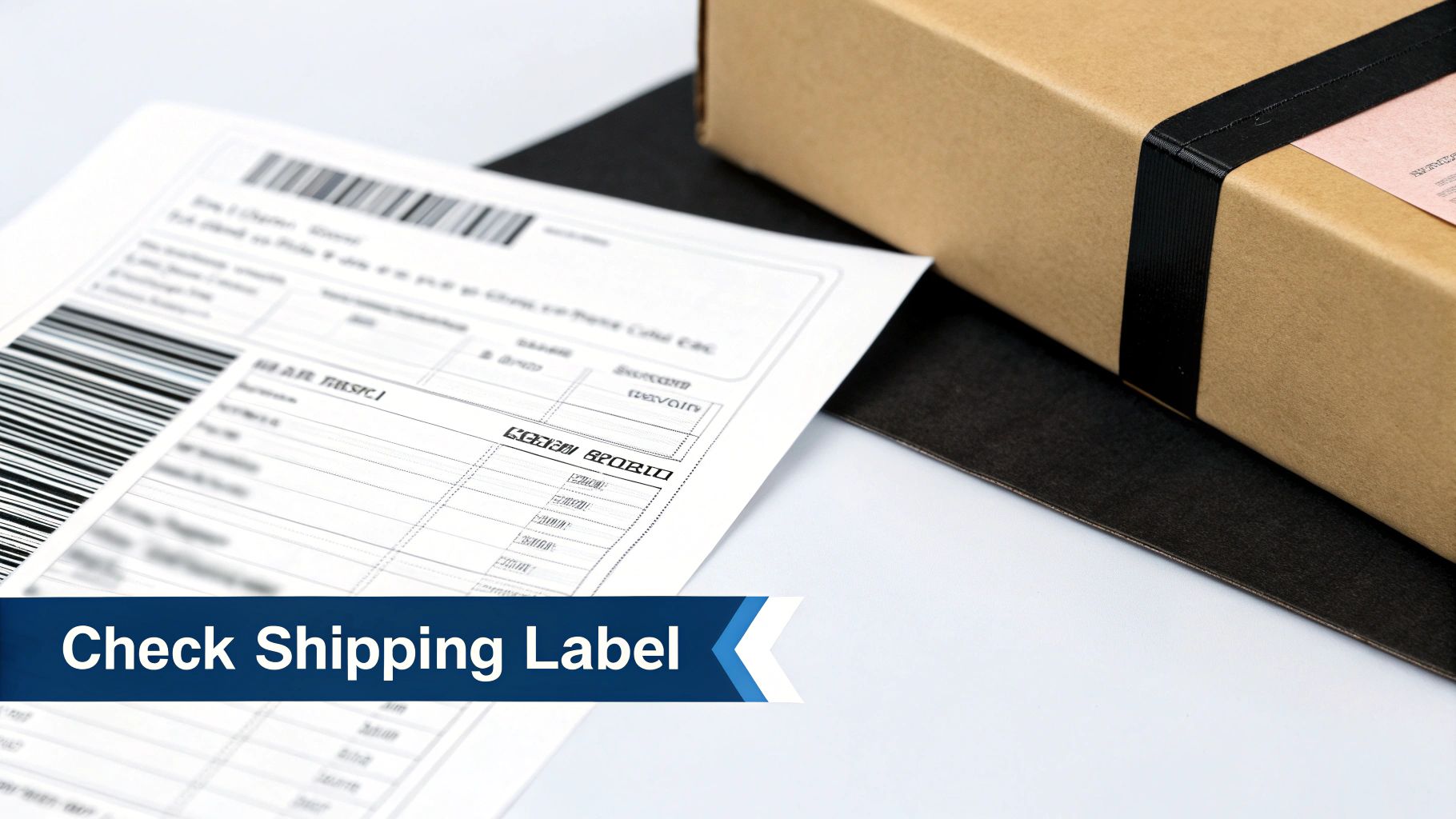
Sometimes the answer isn't buried in your inbox. When the digital trail runs cold, it's time to go old-school and check the physical paperwork that came with your shipment. These often-overlooked documents are your next best bet.
If you’re the one who sent the package, the shipping label itself is the most direct source. That big sticker on the box with all the addresses and barcodes holds the key. You're looking for a long string of numbers, almost always printed right near the main barcode.
Inspecting Your Drop-Off Receipts
Don't have the package anymore? The paper receipt you got from the post office or carrier store is just as good. These slips are your proof of shipment, and the tracking number is almost always printed on them.
For a USPS receipt, check toward the bottom. The number is usually labeled "Label #" or "Tracking #" and is a long sequence of digits, often grouped in fours. With FedEx or UPS, you’ll likely see it labeled "TRK#" or a similar abbreviation. It stands out because of its length, so a quick scan of the receipt should reveal it.
My best advice? Don't toss your receipts until the package is confirmed as delivered. Snapping a quick photo on your phone is a great backup in case the paper copy goes missing.
Understanding how businesses generate these labels, including the specific shipping label printers they rely on, can give you a better appreciation for how this critical information is recorded.
Decoding Carrier Labels
If you are the sender, the label is your ground zero for information. The exact placement of the tracking number can differ a bit between carriers, but they all tend to stick to a predictable format.
Here's a quick rundown of what to look for on the label itself:
- UPS: The number almost always starts with "1Z" and is located right above the large, central barcode.
- FedEx: You're hunting for a 12-digit number, typically found under a barcode with "TRK#" printed nearby. This applies to Ground, Express, and Home Delivery services.
- USPS: Look for a long, 22-digit number at the very bottom of the label, sitting just below the barcode.
If you used a third-party shipping center, like a local pack-and-ship store, their own branded receipt will still have the official carrier tracking number on it. You might have to look closely among the transaction details, but it'll be there.
Identify Your Carrier by Tracking Number Format
Ever look at a tracking number and wonder who the carrier is? The format of the number itself is a huge clue. Different carriers use distinct patterns, which can help you figure out where to start tracking.
Here's a helpful table to identify the likely carrier based on the tracking number's structure.
| Carrier | Common Tracking Number Format | Example |
|---|---|---|
| USPS | Typically 20-22 digits with no letters. | 9400 1000 0000 0000 0000 00 |
| UPS | 18 characters, starting with "1Z". | 1Z9999999999999999 |
| FedEx | Usually 12 digits for Express/Ground. | 9999 9999 9999 |
| DHL | Often a 10-digit number (may vary). | 9999999999 |
This isn't an exhaustive list, as international and specialized services can have unique formats. However, for most common domestic shipments, these patterns hold true and can save you a lot of guesswork.
How to Simplify Tracking with Universal Tools
Let's be honest: juggling tracking numbers is a pain. You’ve got one package coming via FedEx, another from USPS, and an international order that’s in DHL’s hands. Instead of bouncing between three different websites, you can pull all that information into one central hub with a universal tracking tool.
This is exactly what platforms like Instant Parcels were built for. You just copy any tracking number, paste it into a single search bar, and let the system handle the heavy lifting. It instantly figures out the carrier from thousands of global options and gives you a clean, unified view of your package’s entire journey. For anyone managing multiple orders, from online shoppers to e-commerce sellers, this is a massive time-saver.
The Power of a Single Dashboard
The real magic of these tools is seeing everything in one place. Forget scattered browser tabs and conflicting updates; you get a consolidated dashboard showing every package you’re waiting for.
Here’s what that looks like in practice:
This visual layout means you can see the status of all your shipments—whether "In Transit," "Out for Delivery," or "Delivered"—at a glance. No more checking each one manually.
In fact, robust tracking systems can cut down customer inquiries by up to 10% and reduce misdelivery claims by 25%, which goes a long way toward building loyalty. A tool like Instant Parcels pulls data from postal services and private couriers worldwide, so you never have to switch between logins. Whether the number starts with a "1Z" for UPS or is just a long string of digits, the platform deciphers its status, flags any delays, and tells you when it’s on the truck for delivery. For a deeper dive into the parcel market, check out the analysis on coherentmarketinsights.com.
The core benefit is simple: one place for everything. You don’t need to know if your package is with UPS or a local European carrier. Just paste the number, and the system figures it out.
Key Features That Make a Difference
Beyond just showing a package’s location, the best platforms offer features that solve common headaches for both buyers and sellers, making that post-purchase wait a lot less mysterious.
Here are a few standout features you should look for:
- Automatic Carrier Detection: No more guesswork. The system instantly identifies which company is handling your delivery.
- Real-Time Status Updates: You get the latest information as soon as the carrier scans your package. No lag.
- Visual Journey Mapping: See your package's route on a map for a clear, tangible sense of its progress.
- Saved Shipments: "Save" your most important packages to your dashboard to monitor them without having to re-enter the number every time.
- Shareable Tracking Links: Send a clean, simple tracking page to customers or family members with a single click.
These tools are especially helpful for cross-border shipments, which can get complicated. If you're dealing with those, our guide on how to track international packages is a great resource.
Ultimately, a good universal tracker takes a fragmented, frustrating process and turns it into something simple, organized, and stress-free.
What to Do When Your Tracking Number is Missing or Invalid
You've rummaged through your emails and clicked around the seller's website, but your tracking number is nowhere to be found. Or maybe you have a number, but the carrier's site insists it doesn't exist. It’s a frustrating spot to be in, but don’t worry—it’s usually an easy fix.
More often than not, a missing number is simply a matter of timing. There's a natural lag between when you click "buy" and when your package actually leaves the warehouse. The tracking number only comes to life once the shipping label is printed and the carrier scans it into their system. My rule of thumb? Give it at least 24-48 hours after getting the "Your order has shipped!" email before you start sleuthing.
Can't Find a Tracking Number Anywhere?
If a day or two have gone by and there's still no sign of it, it’s time to get in touch with the seller. A quick, polite message usually clears things up in no time.
I find that a simple, direct approach works best. Try something along these lines:
"Hi [Seller Name],
I'm checking in on my recent order, #[Order Number], which I placed on [Date]. I got the shipping confirmation, but I can't seem to find the tracking number. Could you please send it over when you get a chance?
Thanks so much!"
This gives the seller everything they need to pull up your order and send the details right back. With UK B2C parcel volumes expected to jump another 6.4% in 2025, retailers are more than ready to handle these kinds of routine questions. You can dive deeper into the trends shaping the delivery world over at nshift.com.
This little flowchart is a great way to think about your tracking strategy.

It really just boils down to one thing: if you're juggling a bunch of different shipments, a universal tracker is your best friend. For a one-off delivery, the carrier's site is perfectly fine.
What If the Tracking Number Shows an Error?
Okay, so you have a number, but it’s giving you an "invalid" or "not found" error. Before you fire off an email to customer support, run through this quick troubleshooting checklist. These common slip-ups are behind most tracking errors.
- Look for Typos. This is the big one. Did you accidentally type an "O" instead of a zero? Maybe an "I" instead of a one? Carefully re-type the number.
- Kill Extra Spaces. When you copy and paste, it's easy to grab an invisible space at the beginning or end. Make sure the number you’ve entered is clean, with no leading or trailing spaces.
- Give It Time to Activate. Just like with a missing number, a brand-new one might not show up in the carrier's system instantly. It can take a few hours—or even a full day—for the first scan to register.
Still no luck after trying these steps? Now’s the time to reach out to the seller. They can confirm the number is correct or check the shipment status from their end. In those rare situations where the number is truly lost, it's good to know there are other options. You can learn more about how to track a package without a tracking number and see what might work for you.
Common Questions About Finding Tracking Numbers
Even with the best tools, you're bound to hit a snag now and then when hunting for a tracking number. It happens. Here are some of the most common questions we see, with practical answers to get you sorted out.
These scenarios pop up all the time, but thankfully, the solutions are usually pretty simple.
How Long After My Order Will I Get a Tracking Number?
You'll get your tracking number once the seller has packed your order and handed it off to the carrier. This isn't always instant. For a big retailer, it might be just a few hours, but for a smaller shop, it could take 2-3 business days.
The number is generated the moment the seller creates the shipping label. If you have an "order confirmation" email but nothing about shipping after three business days, it’s a good time to send a friendly message to the seller asking for an update.
What Does It Mean When My Tracking Status Is 'Label Created'?
This is probably one of the most confusing statuses you'll see. "Label Created" or "Pre-Shipment" simply means the seller has printed a shipping label, but the carrier (like USPS or FedEx) hasn't scanned it into their network yet.
Think of it as your package being all dressed up with nowhere to go… yet. It's boxed, labeled, and waiting for pickup. It can take 24-48 hours for that first scan to happen and for the tracking to come alive. If two full days go by with no change, it's reasonable to check with the seller to make sure the package was actually handed off.
Pro Tip: Seeing a "Label Created" status is a good thing! It means your order is packed and has a real tracking number. The next step is that first carrier scan, which officially kicks off its journey to you.
Can I Find a Tracking Number with Just My Name and Address?
For very good reasons, you can't. Carriers block lookups based only on personal info like a name and address to protect your privacy. It would be a huge security risk if anyone could see what was being shipped to your home.
But there’s a fantastic workaround. The major carriers have free services that do this securely:
- USPS Informed Delivery: Automatically shows you all packages heading to your address.
- FedEx Delivery Manager: Gives you alerts and control over shipments coming your way.
- UPS My Choice: Notifies you about incoming packages and lets you manage them.
Signing up for these is one of the best things you can do. You’ll often get a notification about a new shipment before the seller even emails you the tracking number.
Why Can't I Find a Tracking Number for an International Order?
International shipping has its own set of quirks. If you're having trouble tracking something from overseas, the shipping method is often the culprit. Some economy international services only provide "dispatch confirmation"—proof it was sent—without offering detailed, step-by-step tracking.
The tracking might also go dark once the package is handed off to your local country's postal service. When this happens, your best bet is to ask the seller exactly which shipping service they used. A universal tracker can be a lifesaver here, as it's designed to follow a package as it jumps between different global carriers.