
Guide to tracking numbers that start with tba: What Shoppers and Sellers Need
Ever stumbled upon a tracking number starting with ‘TBA’ and wondered what it meant? You're not alone. This isn't a broken or fake number; it's the signature of Amazon Logistics, the company's own delivery powerhouse.
Think of a TBA number as an all-access pass for a package traveling exclusively on Amazon's private delivery network. It’s their internal system, built from the ground up to get packages from their warehouse to you.
What Are Tracking Numbers That Start With TBA
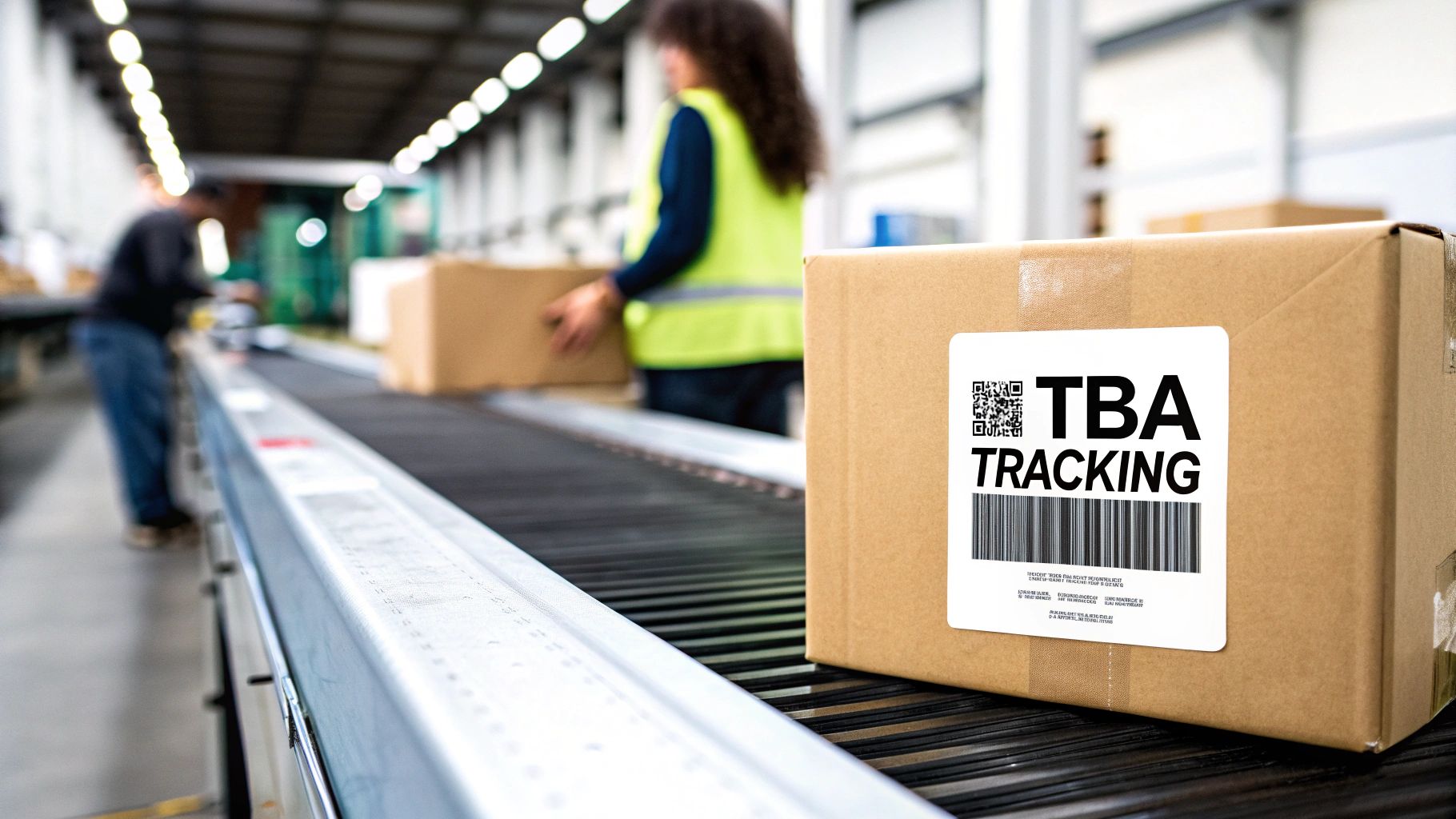
When your tracking code starts with "TBA," it's a clear sign that your order has sidestepped traditional carriers like USPS, FedEx, or UPS. Amazon is handling the delivery themselves, all the way from the fulfillment center to your front door.
This is exactly why pasting a TBA number into a non-Amazon tracking site will almost always result in an error. Those systems are built for public carrier codes, not Amazon's private ones.
The Meaning Behind TBA
So what does 'TBA' actually stand for? It means Transportation Booking Number. This is the internal code Amazon uses to manage every step of a package's journey within its own fleet of drivers and delivery partners.
This in-house system gives Amazon incredible control over the delivery experience, which is a big reason they can offer such fast shipping, especially for Prime members.
Understanding the Amazon Logistics System
Amazon Logistics is a massive piece of the puzzle in how Amazon gets things to us so quickly. By running their own delivery service, they can innovate with services like same-day delivery and maintain strict control over shipping costs and efficiency.
These TBA numbers are used exclusively within this network, primarily for deliveries in the USA, Canada, and the UK. If you want to learn more about how different carriers create their own unique codes, you can check out our guide on what is a tracking number.
The most important thing to remember is that a TBA number is not a universal tracking code. It’s a proprietary identifier that only "speaks" the language of Amazon's internal logistics platform.
This is a key distinction for both shoppers and sellers. It explains why a TBA tracking number feels different and requires you to track it directly through Amazon's website or app to see its progress from the warehouse to the final delivery.
To give you a quick summary, here are the essential details about TBA tracking numbers.
Key Facts About TBA Tracking Numbers
Attribute | Explanation |
|---|---|
Origin | Amazon Logistics |
Meaning | Transportation Booking Number |
Function | Internal tracking code for Amazon's own delivery network. |
Where to Track | Exclusively on Amazon.com or the Amazon mobile app. |
Geographic Use | Primarily used in the USA, Canada, and the UK. |
Why it Matters | Cannot be tracked on third-party carrier websites (USPS, FedEx, etc.). |
Understanding these points makes it much easier to know what to expect and how to monitor your package when you see that "TBA" prefix.
Why TBA Tracking Can Be So Frustrating
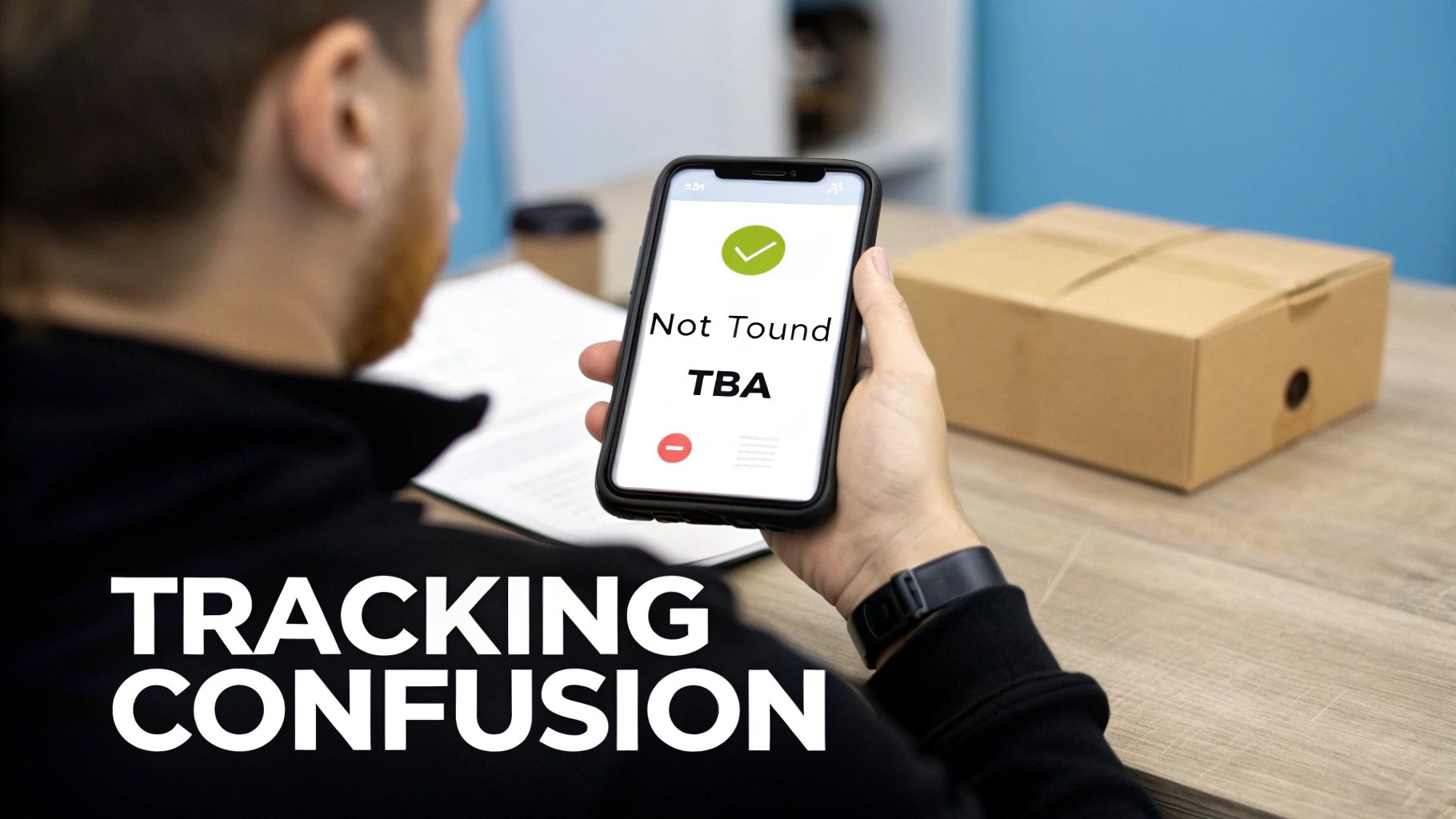
If you’ve ever stared at a TBA tracking number and felt completely lost, you’re not alone. The frustration boils down to one simple reason: these tracking numbers only work inside Amazon’s private logistics network.
Think of it as an internal company ID. Within Amazon's walls, that number tells them everything. But the moment you try to punch it into a public carrier's website like UPS or FedEx, it means nothing. You'll get that all-too-familiar "tracking number not found" error, leaving you with a major blind spot.
The Walled Garden Effect
This "walled garden" system is incredibly efficient for Amazon, but it can be a real headache for customers. We're all used to tracking codes from FedEx or USPS that work on dozens of different apps and websites. A TBA tracking number, however, chains you to Amazon's platform.
To get an update, you have to go directly to the Amazon app or website. This isn't a big deal for one package, but it becomes a pain when you're trying to manage multiple orders from different stores. You're stuck flipping between browser tabs and apps just to see where everything is.
The biggest challenge with tracking numbers that start with TBA is their lack of interoperability. They are designed for an internal audience—Amazon—not for the broader public shipping network.
International Shipping Complications
Things get even more confusing when a package crosses a border. An order might travel through the U.S. with its TBA number, but as soon as it lands in another country, Amazon often hands it off to a local postal service. At that moment, the original TBA number can become obsolete, and your tracking updates might just stop.
This handoff is where visibility often goes dark. TBA numbers, while perfect for domestic deliveries, can stumble during these international transfers. It’s not uncommon to see tracking updates lag by up to 48 hours while the package gets registered with the new local carrier. For sellers, this uncertainty leads to a spike in support requests, and for buyers, it’s just plain stressful.
How to Actually Track Your TBA Package
So, you've got a tracking number that starts with TBA and it's causing some confusion. I get it. The good news is, tracking these packages is actually pretty simple once you know the trick. You just can't use the standard carrier websites like you would for a FedEx or UPS shipment.
The best and most reliable way to track a TBA package is to go straight to the source: Amazon. Their own system has the most accurate, up-to-the-minute information on your delivery because, well, it's their network.
Tracking Directly Through Your Amazon Account
For a single order, this is your best bet. Just follow these quick steps:
Log into your Amazon account, either on their website or through the mobile app.
Head over to the "Your Orders" section to find the item you're waiting for.
Click the "Track Package" button. You'll see a complete timeline of your package's journey, from the moment it left the warehouse to its current location.
This method gives you the official play-by-play, directly from the people handling the delivery.
Using a Universal Tracking Tool for Everything
Tracking one package on Amazon is easy enough. But what happens when you’re juggling multiple orders from different stores? One package is coming via Amazon Logistics, another with USPS, and a third with FedEx. Hopping between different websites and apps gets old fast.
This is where a universal tracking platform like Instant Parcels really shines.
These tools are built to connect with all the major carriers, including Amazon Logistics. You just copy and paste your TBA tracking number into one search bar, and the system instantly figures out who the carrier is. It then pulls all the tracking data into one clean, simple view.
Here’s a glimpse of what that looks like—all your packages, from different carriers, lined up in one place.
As you can see, your Amazon TBA package can sit right next to your other shipments. No more guesswork, no more bouncing between browser tabs.
The real win with a unified tracker is the simplicity. It takes the frustrating, scattered process of checking multiple sites and turns it into a single, organized dashboard. You get a complete picture of everything heading your way.
This approach doesn't just save a ton of time; it also cuts down on the "where's my stuff?" anxiety. You have one place to check for all your deliveries, making a complicated task feel effortless.
Decoding Common TBA Tracking Statuses
Ever felt like you need a secret decoder ring to understand what your package's tracking status actually means? You're not alone. The messages from Amazon Logistics can seem a bit vague, but each one signals a specific step in your package's journey.
Getting a handle on these updates is the key to knowing exactly where your stuff is and when you can start listening for the doorbell. Let's break down what you'll typically see.
From the Warehouse to Your Doorstep
The life of your package starts the moment it leaves the Amazon fulfillment center. From there, it's a series of carefully orchestrated steps, each with its own status update.
Shipped: This is the first official move. Your package is packed, has a label, and is on a truck leaving the warehouse. It’s on its way to a sorting facility or a local delivery station.
On the Way / In Transit: Think of this as the road trip phase. Your package is actively moving through the Amazon network, likely on a truck heading towards your city. For a deeper dive, check out our guide on what "in transit" really means.
Out for Delivery: The final countdown has begun! Your package is now in a delivery van in your local area. It should arrive sometime today, usually by the end of the evening.
This simple flowchart shows how a TBA number follows your order from the moment you click "buy" all the way to your door.
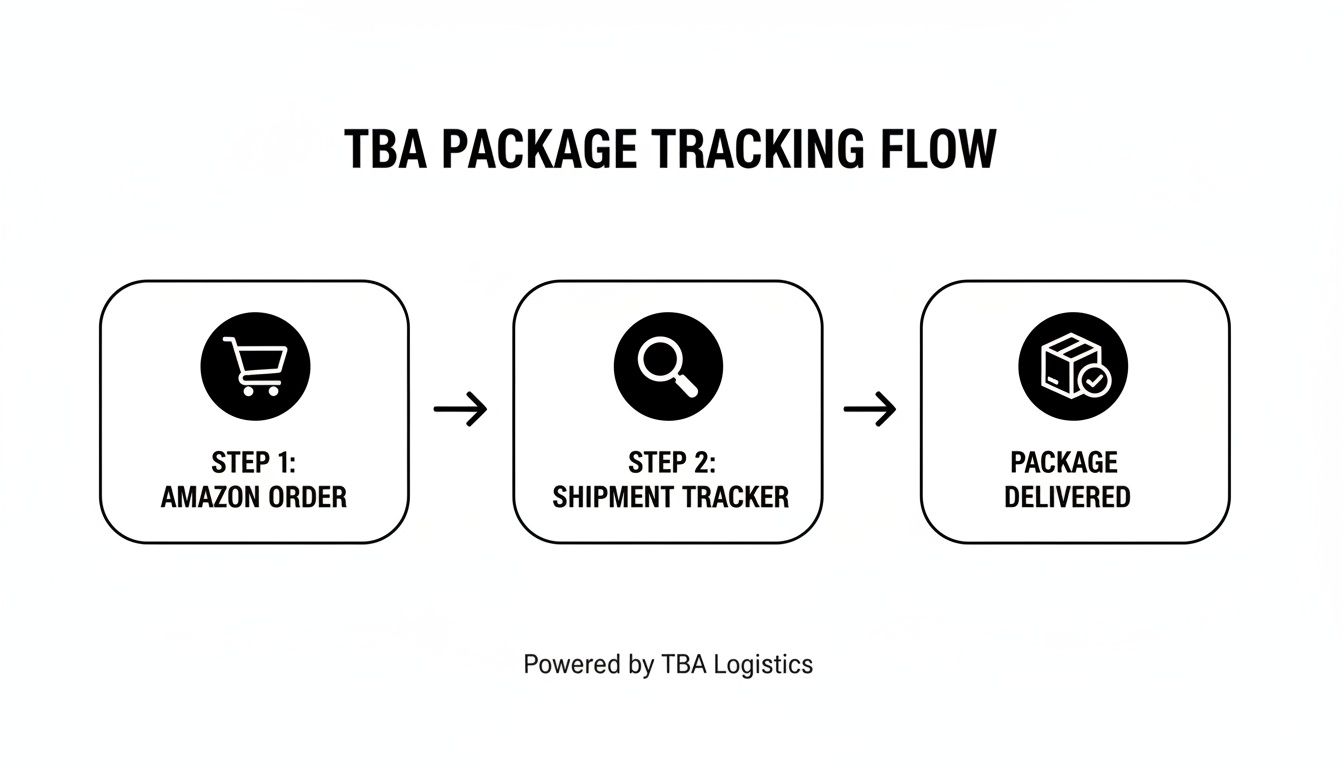
As you can see, the TBA number is the thread that connects your order in Amazon's system to the physical package moving through their logistics network.
Of course, a few other messages might pop up along the way. Some are good news, while others might signal a slight hiccup.
Here’s a quick guide to what some of the most common tracking updates are really telling you.
Common TBA Tracking Statuses and Their Meanings
Tracking Status | What It Really Means |
|---|---|
Arrived at Carrier Facility | Your package has made it to a local Amazon hub or delivery station. It's one step closer. |
Delivery Attempted | The driver tried to drop off your package but couldn't. Maybe no one was home, or there wasn't a secure spot to leave it. They'll usually try again the next business day. |
Undeliverable | Something went wrong. This could be due to a damaged label, an incorrect address, or access issues. You'll likely need to contact Amazon support. |
Delivered | Success! The package has been dropped off at your address or with a receptionist/neighbor. Time to go check your porch. |
These statuses provide a clear picture of your package's progress. Most of the time, the journey is smooth, but knowing what "Delivery Attempted" or "Undeliverable" means can save you a lot of worry and help you take the right next steps.
Solving Common TBA Tracking Problems
So, you know where to look, but tracking a package with a TBA number can still hit a few snags. It’s always frustrating to see an error message or watch a package stall out, but most of these issues have a simple explanation and a pretty straightforward fix.
Before you jump on the phone with customer support, let’s walk through the most common problems you're likely to see with tracking numbers that start with TBA and what to do first.
Why Your Tracking Number Shows "Not Found"
One of the most frequent things people run into is plugging in a brand-new TBA number and getting an error like "Not Found" or "Invalid." This almost always just comes down to timing. After a seller ships an item, it can take up to 24-36 hours for the tracking info to get scanned and go live in Amazon's system.
Pro Tip: If your TBA tracking number isn't working right away, the best thing to do is just wait. Give it a full day before trying again. The system often just needs a little time to catch up with the physical package.
When Your Package Seems Stuck in Transit
Another classic headache is seeing a package that looks like it's stuck in one spot for several days. The tracking status might say "Shipped" or "On the way" but shows no new updates. This usually just means there’s a delay at a sorting center or fulfillment hub.
Big shipping rushes, especially around the holidays or major sales events, can create backlogs. Your package isn't lost; it's just sitting in line, waiting to be processed and sent on its way. Patience is usually the answer, but if you see zero movement after 48-72 hours, it might be time to look into it a bit more.
What to Do If It's Marked Delivered But Missing
This is hands-down the most stressful one: tracking says "Delivered," but the box is nowhere to be found. Don't panic. Before you assume the worst, run through this quick checklist:
Check Everywhere: Take a good look in less obvious places like behind planters, under porch furniture, or at a side door.
Ask Your Neighbors: Delivery drivers will sometimes leave a package with a neighbor to keep it safe, especially if you weren't home.
Wait a Little Longer: Every so often, a package gets scanned as delivered a bit too early. It’s a good idea to wait until the end of the day to see if it shows up.
If you’ve done all that and your package is still missing, it’s time to contact Amazon support directly through your order page to report the problem.
Bringing All Your Tracking Numbers Under One Roof
Trying to keep up with tracking numbers from different carriers feels a lot like juggling. You’ve got one tab open for an Amazon TBA package, another for USPS, and maybe a third for a FedEx delivery. It’s messy, inefficient, and almost guarantees you’ll miss an important update.
This is exactly why a centralized tracking platform is so incredibly useful. Instead of hopping between websites, a unified dashboard pulls all your shipments together into one simple, easy-to-glance-at view.
Your Single Point of Contact for All Packages
Think of a tool like Instant Parcels as your logistics command center. You can plug in any tracking number, including a tricky one starting with TBA, and the system immediately figures out who the carrier is—in this case, Amazon Logistics—and shows you the latest status.
No more guessing games. For everyday shoppers, this means you have one spot to check on all your online orders, which is a huge relief. For e-commerce sellers, it’s a game-changer. You can cut down on all those "Where is my order?" emails by giving your customers a single, reliable tracking link they can check themselves.
For developers or power users building their own dashboards, learning how to extract data from websites is a key skill for pulling in tracking information from sources that don't have public APIs.
The real win here is simplicity. A unified dashboard takes the chaotic, multi-step chore of tracking packages and turns it into one quick, effortless check. You get the whole story without all the legwork.
This is especially true for dropshippers who are constantly managing orders from different suppliers using a mix of shipping companies. A central dashboard gives them complete oversight of every package, both coming and going. Given Amazon's massive scale, being able to monitor TBA shipments alongside everything else is non-negotiable.
Why It's Better to Track Everything in One Place
Getting all your tracking information consolidated isn't just about convenience; it's about creating a consistent, predictable experience. Shipping updates can be confusing, but a good dashboard translates them into simple, understandable terms, no matter who the carrier is.
Here’s a quick look at who benefits:
Online Shoppers: Keep an eye on everything from your Amazon Prime deliveries to a birthday gift from an online boutique, all in one place.
E-commerce Sellers: Give your customers clear, proactive updates and build trust.
Customer Support Teams: Find answers to tracking questions in seconds with a single search tool.
In the end, a unified dashboard just makes logistics easier for everyone involved. If you're looking to simplify how you manage your deliveries, checking out the package tracking app options is a great next step. Instant Parcels is built to be that go-to solution for anyone who wants tracking to be reliable and hassle-free.
Got Questions About TBA Tracking? We've Got Answers.
Even when you know what you're looking for, those TBA tracking numbers can still throw a curveball. Let's tackle some of the most common questions that pop up so you can get your issues sorted out fast.
Can I Just Plug a TBA Number into the USPS or FedEx Website?
Nope, and this is a big one. Think of a TBA number as an internal Amazon Logistics ID card—it only gets recognized inside Amazon's own system. If you try to paste that number into a tracker for USPS, FedEx, or UPS, you'll just get an error. Their systems have no idea what it is.
My TBA Package Is Late—Now What?
First thing's first: check your Amazon account for the latest tracking updates. Amazon is usually pretty good about posting notices for things like bad weather or a backup at a sorting facility.
If it's been more than 48 hours since the estimated delivery date and the tracking has gone silent, it's time to reach out. The best way is to go directly to your order page and contact Amazon's customer service.
A day or so of delay can be normal, but if the tracking has completely stalled for a couple of days, that’s your cue to follow up. Amazon's support team can look into its internal system to see what's really going on.
Why Is My TBA Tracking Number Coming Up as Invalid?
This is easily the most frequent hiccup, and it's almost always a simple timing issue. When a seller first ships your package, it can take anywhere from 24 to 48 hours for that TBA number to actually go live in Amazon's tracking system.
So, if you just got the notification, give it a day or two before you start to worry. The system is just waiting for the package to get its first physical scan somewhere down the line.