
SF Shipping Tracking Explained A Guide To Real-Time Updates
Keeping tabs on an international package is pretty straightforward once you know where to look. For any SF Express shipment, all you really need is the tracking number the sender gave you. Just pop that number into the official SF Express site or a universal tracking platform like Instant Parcels, and you’ll get real-time updates on where your package is.
Your Guide To SF Express Tracking
Let's be honest, tracking a package from overseas can feel like you're staring into a black box. You get the "shipped" notification, but the journey from a warehouse in, say, Shenzhen to your front door is a winding road with lots of handoffs and status updates that don't always make sense. This guide is here to pull back the curtain on the entire SF Express tracking process so you can follow your parcel with confidence from start to finish.
We'll start with the most important piece of the puzzle: your SF tracking number. I'll show you what it looks like and where you'll typically find it, whether it's buried in a confirmation email or sitting on your marketplace dashboard. Knowing what to look for is half the battle.
Understanding The Modern Shipping Landscape
The demand for clear, dependable tracking has never been higher. The global shipping industry is absolutely booming—experts predict that a staggering 498 billion packages will be crisscrossing the globe by 2028. With nearly half of all merchants now shipping internationally, the logistics of following a single package across borders and through different carriers has become incredibly complex.
This is where things get tricky for most people. Your package might start its journey with SF Express, but then get passed to a local courier like UPS or even the local postal service for the final leg. Suddenly, you're trying to juggle multiple tracking websites just to stay in the loop. It’s a real headache.
A universal tracker is designed to fix this exact problem by bringing all those scattered updates into one clean, easy-to-read timeline. It turns that complicated journey into a single, reliable source of truth, which goes a long way in reducing that "where is my package?" anxiety.
For online sellers, a smooth tracking experience actually starts way before a label is even printed. If you're running a store, understanding the fundamentals of how to set up shipping on Shopify is a great first step, as it sets the stage for a seamless delivery process right from the beginning.
How to Find and Use Your SF Tracking Number
Your entire SF Express tracking experience starts with one crucial piece of information: the tracking number. Without it, you're flying blind. The good news? It's usually pretty easy to find once you know where to look.
Most of the time, the tracking number will be waiting for you in the shipping confirmation email from the retailer or marketplace where you made your purchase. Just search for an email with a subject like "Your Order Has Shipped!" and scan the body for a long string of numbers. Often, it's already a clickable link.
If you bought something from a big platform like AliExpress or DHgate, the number will also be logged in your account's order history. Simply log in, head over to your recent orders, and click on the item you're tracking. The number should be right there with the rest of the order details.
Where to Look for Your Number
Depending on how your package was sent, the location of the tracking number can change a bit. Here are the usual suspects:
- E-commerce Stores: The shipping confirmation email is almost always the first place to check.
- Marketplace Accounts: Log into your account on sites like AliExpress and look for a "My Orders" or "Order History" section.
- Physical Receipts: If someone sent you a package directly from an SF Express drop-off point, the tracking number will be printed right on the paper receipt they were given.
Expert Tip: From my experience, SF Express tracking numbers are pretty recognizable. They are typically 12 digits long (like 456 123 789 123) or start with "SF" followed by 13 digits. Knowing what you're looking for makes it much easier to spot the number in a busy email or on a cluttered receipt.
Using the Official SF Express Website
Got your number? Great. Now let's put it to work. The official SF Express website is your direct source for tracking. You'll see a big tracking box right on the homepage—you can't miss it. Just paste your number in and hit the track button.
The results page will give you the latest status and a full chronological history of your parcel's journey. You’ll see every scan, from the moment it was picked up to its arrival at sorting centers and its clearance through customs.
But, the official site isn't always perfect. Sometimes the language defaults to Chinese, and you have to hunt for the English option. More importantly, when the package gets handed off to a local courier in your country for the final leg of its journey, the SF site can stop showing detailed updates. This is a common snag and exactly why a universal tracker comes in handy.
For a more detailed breakdown, our guide covers all the best ways to find your tracking number no matter the carrier.
Decoding Your SF Express Tracking Statuses
Seeing an update pop up on your tracking page is one thing; knowing what it actually means for your package is another. The logistics world has its own language, and it can be pretty confusing if you're not in it every day. I'm here to translate that jargon into plain English so you know exactly where your shipment is.
We'll break down the most common updates you'll see, from the moment the shipper creates a label to the nerve-wracking "Customs clearance started" notification. Once you understand these milestones, you'll have a much clearer picture of your parcel's journey.
Think of it this way: a small package of electronics is making its way from a supplier in Shenzhen, China, all the way to a customer in New York City. Every tracking update you see is a digital footprint, marking its physical progress as it crosses continents and moves through complex sorting hubs.
This flow chart gives a great high-level view of how tracking works from your end—it's a simple find, copy, and track process.
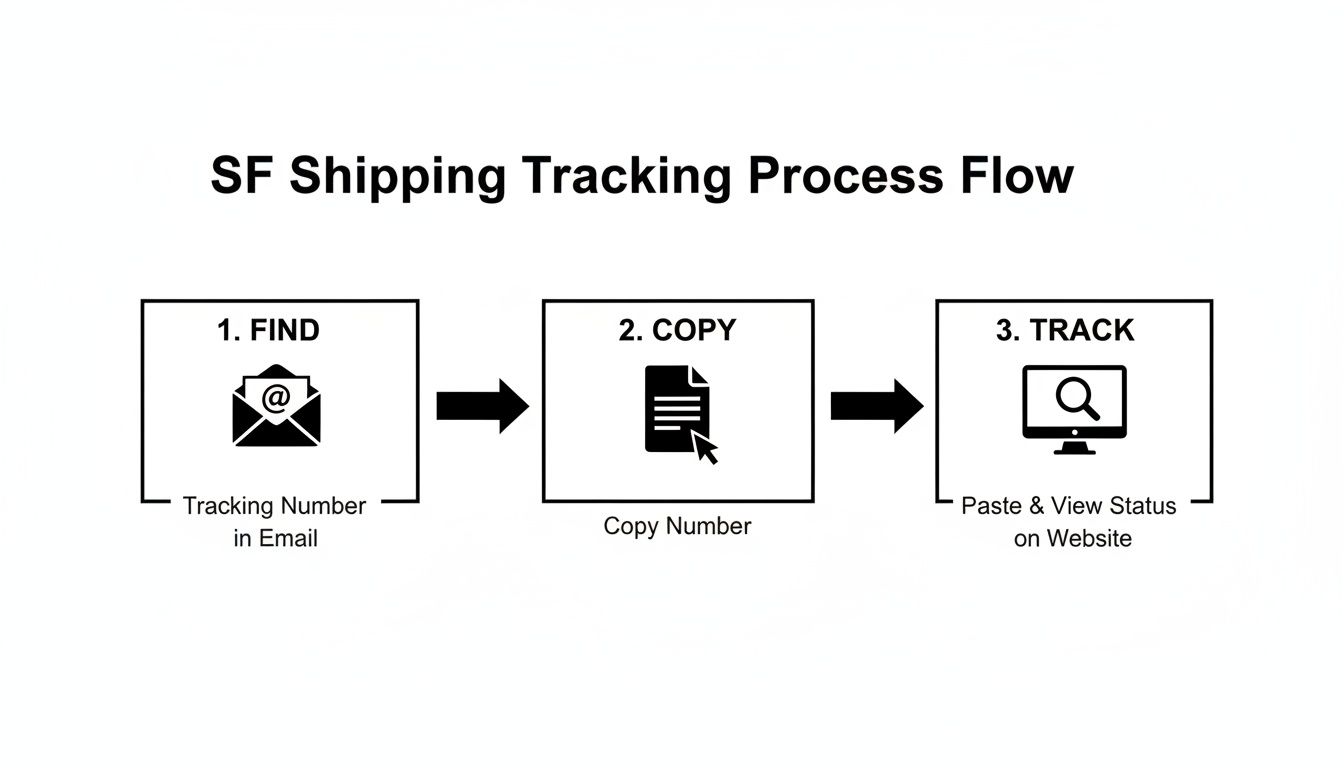
As you can see, getting the tracking started is easy. The real challenge often comes from figuring out what all those status updates actually mean for your delivery timeline.
Common SF Express Tracking Statuses Explained
To help you get a handle on what's going on, here’s a quick-reference table that decodes the most frequent SF Express tracking statuses. It tells you what’s happening behind the scenes and what, if anything, you should be doing.
| Tracking Status | What It Means | What You Should Do |
|---|---|---|
| Shipment Information Received | The journey has been digitally initiated. The sender has created a shipping label and logged the shipment in SF's system, but SF Express doesn't physically have the box yet. | Wait patiently. This is the very first step. If this status doesn't change for a few days, contact the sender. |
| SF Express Has Picked Up the Shipment | It's officially on the move! An SF Express driver has collected the package from the sender's warehouse or location. The physical journey has begun. | Nothing yet. The package is now in the SF Express network. |
| Arrived at SF Express Sort Facility | Your parcel is at a major logistics hub. Here, it gets scanned and sorted with thousands of others to be routed toward its final destination. | Keep an eye on the next update. This is a routine stop before it's loaded onto a plane or long-haul truck. |
| In Transit | This is a broad term meaning your package is moving between two points in the network—it could be on a plane, truck, or even a boat. | Check the route history for more details. This status can last a while, especially for international shipments. |
| Handed Over to Customs for Clearance | Your package has arrived in the destination country and is now being reviewed by customs officials. This is a standard and mandatory step for all international imports. | Be patient. Customs processing times can vary widely. If it gets stuck here, you may need to provide more info. |
| Customs Clearance Completed | Great news! Customs has inspected and approved your shipment. It's been released back into the carrier network for the final leg of its journey. | Expect delivery soon. The package will now be handed over to a local courier for final delivery. |
| Out for Delivery | The package is on the local delivery truck and heading to your address today. | Get ready to receive your package! |
| Delivered | Success! The package has been successfully dropped off at the destination address. | Check your delivery location. If you can't find it, contact SF Express or the local courier immediately. |
This table covers the main milestones, but sometimes the journey from "picked up" to "delivered" involves a few more complex steps, especially when crossing borders.
Navigating Transit and Customs Updates
Once your package is on its way, the updates will focus more on its international movement and customs processing. This is where things can sometimes get a little tricky.
One of the most common points of confusion is the "In Transit" status. It’s a catch-all term that can mean anything from your package flying over the Pacific Ocean to it sitting on a truck driving to the next sorting center. It just means the parcel is actively moving between two major scan points.
After it touches down in the destination country, the next set of updates will all be about customs.
- Arrival at destination country: The plane has landed, but your package hasn't been officially processed by local authorities yet.
- Handed over to customs for clearance: This is the big one. Your package and its paperwork are being reviewed by government officials to check for compliance with import laws and to assess any duties or taxes. This can take anywhere from a few hours to several days, depending on the item and local workload.
- Customs clearance completed: This is the green light you've been waiting for. Your package has been approved and is ready to be released for delivery within your country.
From here, SF Express will typically hand the parcel off to a local delivery partner to handle the "last mile" to your doorstep. If you find your package seems stuck in transit for an unusually long time, you can learn more about what "in transit" means in our detailed guide.
Troubleshooting Common Tracking Problems
Even with a top-notch courier like SF Express, shipments can hit a snag. Seeing a weird error message or watching your parcel sit in the same spot for days is enough to make anyone anxious. But don't worry—most of the time, it's a routine issue with a simple explanation.
Let's break down what these common tracking hiccups really mean and what you should do about them.
"Tracking Number Not Found" Error
This is probably the most common issue people run into, and it almost always comes down to timing. When a seller creates a shipping label, the tracking number is generated instantly, but it isn't actually live in the SF Express system yet.
It can take up to 24-48 hours for the package to get its first physical scan at a facility, which is what activates the number. If you try to track it a minute after getting the notification, you’ll likely see this error.
My advice? Just give it a day. If you check back in 24 hours and it’s still not showing up, wait one more day. If 48 hours pass with no luck, it’s time to message the sender. You'll want to confirm two things: that they gave you the right number and that the package was actually handed off to SF Express.
When Your Package Stops Moving
It’s the worst feeling—you check your tracking, and the last update was three days ago from a sorting center you've never heard of. Is it lost? Probably not. A package that seems "stuck" is usually just going through a normal, unscannable part of its journey.
Here are a few common reasons for a tracking pause:
- It's in the air (or on the sea): During long-haul transit, like a flight across the Pacific, there are no scanners. You won't see an update until it lands and gets processed at the next hub.
- It's waiting in line at customs: This is the big one. Customs clearance can be lightning fast or take over a week. It all depends on the country, the package contents, and how backed up they are.
- Weekends and holidays: Remember to account for weekends and public holidays in both the origin and destination countries. Logistics networks slow down or shut down completely during these times.
Don’t panic if you see no movement for three to five business days, especially after it arrives in your country. This is often the standard timeframe for customs review. If it extends beyond a week with no new scans, then it’s time to investigate further.
These pauses are becoming more common. Global supply chains are stretching further than ever before, with the average traded good now traveling nearly 5,000 kilometers to its destination. A longer journey means more hand-offs and more potential for brief delays between scans. You can read more on these global shipping trends on Descartes.com.
Navigating Customs Holds
Seeing the words "Held by Customs" can be intimidating, but it's typically just a standard procedural step. It simply means a customs agent is taking a closer look at your package or its paperwork.
If your SF shipping tracking shows a customs hold, look for any extra details in the status update. Occasionally, they'll need something from you, like a receipt to prove the item's value.
If there are no instructions, the best thing to do is wait. However, if the status is stuck on "Held by Customs" for more than a few business days, it’s time to contact the seller. They are the ones who prepared the customs declaration, so they’re in the best position to work with SF Express and clear up any paperwork issues causing the hold-up.
A Smarter Way To Track SF Express Shipments
If you've ever found yourself with a dozen browser tabs open, trying to track packages from different carriers, you know the feeling. One tab for SF Express, another for DHL, maybe a third for FedEx. It's not just a hassle; it's an inefficient way to manage shipments that often leads to missed updates or confusion.
That's where a universal tracking platform like Instant Parcels comes in. Instead of hopping between websites, you get a single, smart dashboard. Just paste any tracking number into the search bar, and the system instantly figures out the carrier—be it SF Express or one of hundreds of others—and fetches the latest tracking data. Suddenly, you have a clean, unified view of every single package you have on the move.
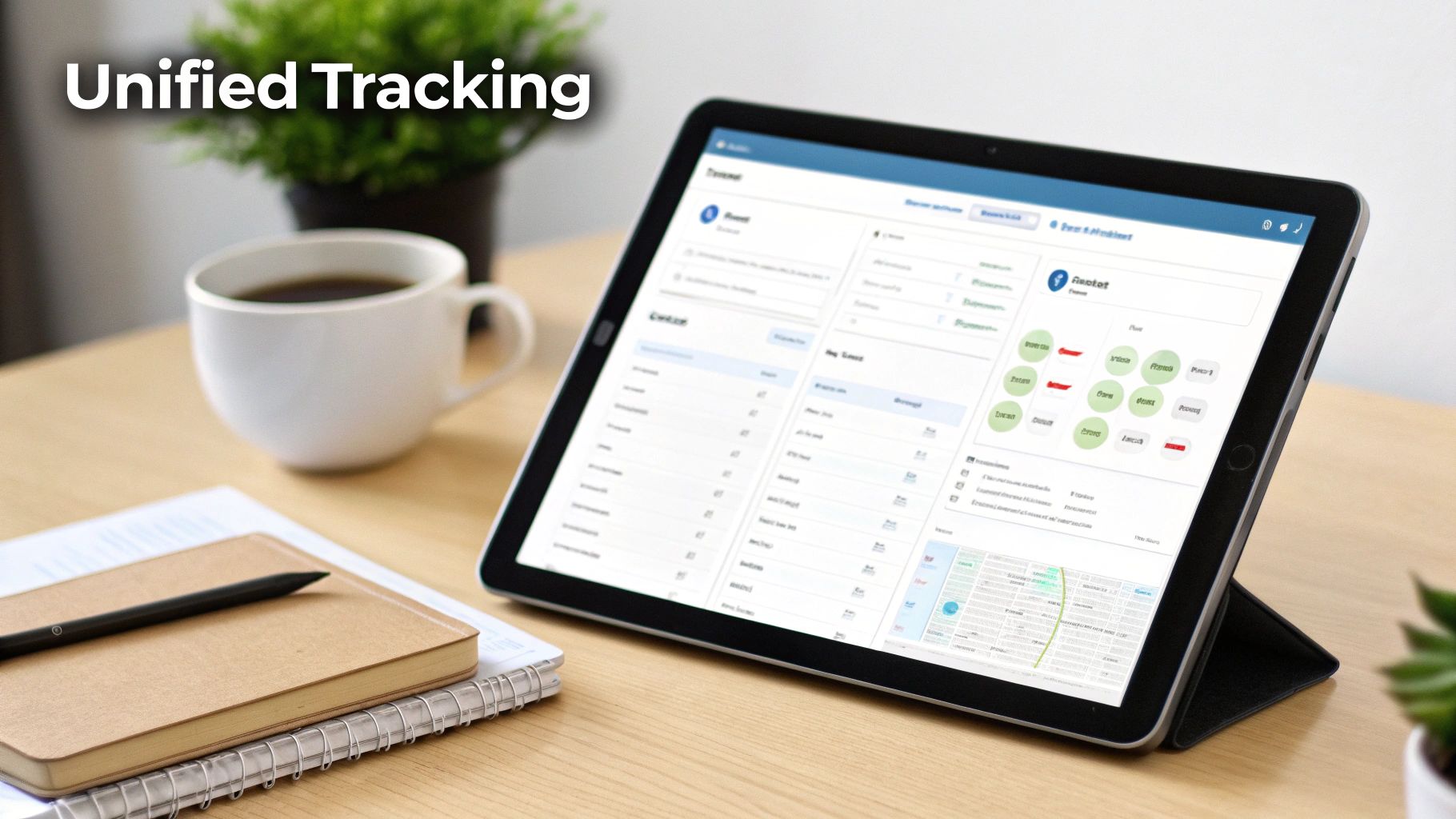
From Cluttered To Consolidated
Think about a common scenario for a small e-commerce business. You might have one order coming from China with SF Express, another from Europe with DHL, and a domestic package being returned via a local carrier. Instead of wrestling with three different tracking interfaces, you can see all of them side-by-side in one place.
This consolidated view has some real, practical benefits:
- Saves Time: You stop wasting minutes hunting down the correct carrier website for each package.
- Standardized Updates: Carrier-specific jargon gets translated into plain English. "Shipment Information Received" means the same thing, no matter the carrier.
- Fewer Errors: A single platform reduces the risk of copy-paste mistakes that can happen when juggling multiple sites.
This is especially true for businesses dealing with international logistics. Ocean freight is still the lifeblood of global commerce, handling over 80% of world trade by volume. With container shipping seeing global trade growth between 3.5% and 4.2% in 2025, having a bird's-eye view of all your shipments is crucial for managing expectations and navigating potential delays.
A Practical Scenario
Let’s walk through a real-world example. A customer emails you asking, "Where's my order?" Instead of digging through old emails to find the SF tracking number and then heading over to the SF Express site, you simply open your Instant Parcels dashboard. You immediately see the package is "Held by Customs"—a clear, standardized status.
From there, you can confidently let the customer know about the delay and even give them a direct link to the tracking page. It’s a faster resolution for them and makes your business look far more organized and professional. For large logistics operations like SF Express, this kind of efficiency relies on solid internal systems. Good communication software for logistics companies is often the backbone that ensures tracking information is relayed smoothly from the field to the customer-facing platform.
The real magic of a unified tracker is how it turns a flood of chaotic shipping data into clear, actionable information. It shifts SF shipping tracking from a reactive chore to a proactive management tool, giving you a complete overview of your logistics at a glance.
At the end of the day, whether you're a casual shopper keeping an eye on a single important delivery or a business owner juggling hundreds of shipments, a centralized system saves time, cuts down on stress, and gives you that single source of truth you need. For a deeper look at what to look for in a top-tier tool, check out our guide on the https://instantparcels.com/best-package-tracking-app.
Got Questions About SF Express Tracking? We've Got Answers
Even with the best tools, you're bound to run into a few head-scratchers when tracking packages. Let's tackle some of the most common questions that pop up during the SF Express shipping journey.
How Long Does SF Express Take To Deliver Internationally?
This really boils down to which service the sender paid for. If they chose "Standard Express", which is a popular middle-ground option, you're typically looking at a 3 to 7 business day transit time. If they opted for the more wallet-friendly "Economy Express", you'll need a bit more patience, as that can take anywhere from 7 to 12 business days, sometimes even longer.
Of course, these are just estimates. Real-world shipping is messy. Things like customs backlogs, local holidays, or even a bad patch of weather can throw a wrench in the works. Your seller's initial delivery estimate is a good starting point, but the tracking history will always tell the most current story.
A Quick Tip: If you're in a hurry for your item, it's worth asking the sender about the shipping service they used. Spending a little extra on a faster service can literally cut the delivery time in half—a lifesaver for time-sensitive shipments.
Why Is My SF Shipping Tracking Not Updating?
First off, don't panic. A stall in tracking updates is pretty common and usually harmless. Most of the time, it just means your package is on a long-haul flight or truck between major sorting hubs where it won't be scanned for a few days. It could also be sitting in a queue at customs, waiting its turn for inspection.
If you just received the tracking number, give it 24 to 48 hours to get into the system. It won't show anything until it gets its first physical scan. If more than 5 to 7 business days go by without a single update, that's a good time to check in with the sender. They can confirm the shipping details on their end.
Can I Track An SF Express Package With Just A Name Or Address?
I wish! But unfortunately, no. The tracking number is the one and only key that unlocks your package's location in SF Express's massive global network. Without that specific code, it's like trying to find a specific car in a country without a license plate. It’s simply not possible.
If you can't find the number, your only move is to get in touch with the sender. They'll have it on their shipping receipt or in their order history and can pass it along to you.
What Do I Do If My SF Express Package Is Stuck In Customs?
Seeing "Held at Customs" can be a little stressful, but it's often just part of the standard process. Before you worry, dive into the detailed tracking history on the SF Express website or Instant Parcels. Look for any specific notes explaining the hold-up.
Often, if customs officials need something from you—like a receipt to verify the value of your item—they or SF Express will reach out directly. If a few days pass with no word, your next step is to contact the sender. An incomplete or incorrect customs form is a frequent culprit. You can also get in touch with SF Express support; they have teams that deal specifically with customs issues and can often tell you exactly what's needed to get your package moving again.