
How to Track Multiple Shipments Without Losing Your Mind
If you’re anything like me, you’ve found yourself drowning in a sea of browser tabs, one for FedEx, another for UPS, and a third for USPS, just to keep an eye on a few packages. It's a frustrating dance of copying and pasting tracking numbers, and frankly, it's a huge waste of time. The fix? A unified tracking platform that brings all your shipments together in one clean, simple dashboard.
The Ultimate Dashboard for Tracking All Your Packages
Trying to monitor several online orders at once is a special kind of chaos. Each carrier has its own website, its own lingo for shipping updates, and its own notification quirks. This disjointed process is a headache for everyone, from avid online shoppers to e-commerce sellers managing dozens of daily shipments.
This problem is only getting bigger. The global parcel delivery market was valued at around USD 520.59 billion in 2025 and is expected to climb to USD 727.65 billion by 2032. As more packages fly around the world, the need for a central hub to track all packages in one place becomes absolutely essential.
From Cluttered Bookmarks to a Clean Dashboard
A centralized tracking dashboard completely flips the script. Instead of you chasing down information, the updates come directly to you, all organized in one spot. These platforms are smart, too. They automatically detect the carrier, so you can just paste in any tracking number and let the system figure out the rest.
This is a game-changer. Let’s look at the old way versus the new way to really see the difference.
Old Way vs. New Way of Tracking Multiple Packages
| Tracking Task | The Frustrating Old Way | The Efficient New Way |
|---|---|---|
| Checking 5 Packages | Open 5 different carrier websites in 5 separate tabs. | Paste all 5 tracking numbers into a single search bar. |
| Understanding Statuses | Decipher jargon like "Tendered for Final Delivery." | See clear, simple statuses like "Out for Delivery." |
| Getting Notifications | Sign up for email/SMS alerts on each carrier's site. | Set up all notifications (email, push) in one place. |
| Finding Past Shipments | Dig through old emails and order confirmations. | Access a complete, searchable history of all deliveries. |
The table really says it all. The modern approach is just so much cleaner and more intuitive.
What makes this modern approach so effective?
- It Works With Any Carrier: It doesn't matter if your package is with DHL, a regional courier, or the local post office. All tracking numbers go into the same system.
- No More Confusing Jargon: Forget trying to figure out what "Tendered to Delivery Service Provider" means. The system translates it into plain English, like "Handed off for final delivery."
- One Place for All Alerts: Set up your notification preferences once, and you’ll get updates for every single package, whether it’s just shipped, out for delivery, or—heaven forbid—delayed.
- A Complete Delivery History: Every package you track is saved, creating a permanent, searchable archive. This is incredibly handy for referencing past orders.
The real magic of a unified dashboard is how it transforms tracking from a reactive chore into proactive management. You get a single, reliable view of everything you have in transit at any given moment.
To make sure these dashboards are easy to use, designers often lean on established user interface design frameworks. The entire goal is to take a mountain of complex shipping data and present it in a way that’s clean, scannable, and instantly understandable.
Building Your Centralized Tracking Hub
Let’s be honest, juggling tracking numbers from different carriers is a pain. You have one tab open for FedEx, another for USPS, and maybe a third for that international order coming via DHL. It's a messy, time-consuming process. The goal is to move away from this scattered approach and funnel everything into a single, unified view.
Think of it as creating a real-time dashboard for everything you have in transit. It doesn't matter who's delivering it; you see it all in one place.
The first step is the easiest: grab your tracking numbers. We all get them in those order confirmation emails from places like Amazon, independent Shopify stores, or other online retailers. But instead of clicking the link in each email—which just sends you back to the carrier's silo—simply copy the tracking number itself.
Getting Your Packages on the Dashboard
With your tracking numbers in hand, you can start plugging them into a universal tracking tool. On platforms like Instant Parcels, it’s as simple as it gets. You just paste a number into the main search bar, and the system instantly figures out the carrier and fetches the latest status. No more guessing if it's UPS or FedEx.
This one-at-a-time method works perfectly when you’re just keeping an eye on a handful of packages. Maybe you have a personal Amazon order and a business shipment from UPS on the way. You just pop both numbers in, and the tool builds a clean, organized list of everything heading your way.
A centralized hub isn't just a list; it's a command center. It gives you immediate visibility, turning reactive, frustrating searches into a proactive, at-a-glance overview of all your shipments.
This whole idea is about shifting from the old, fragmented way of checking a dozen different websites to a modern, consolidated dashboard.
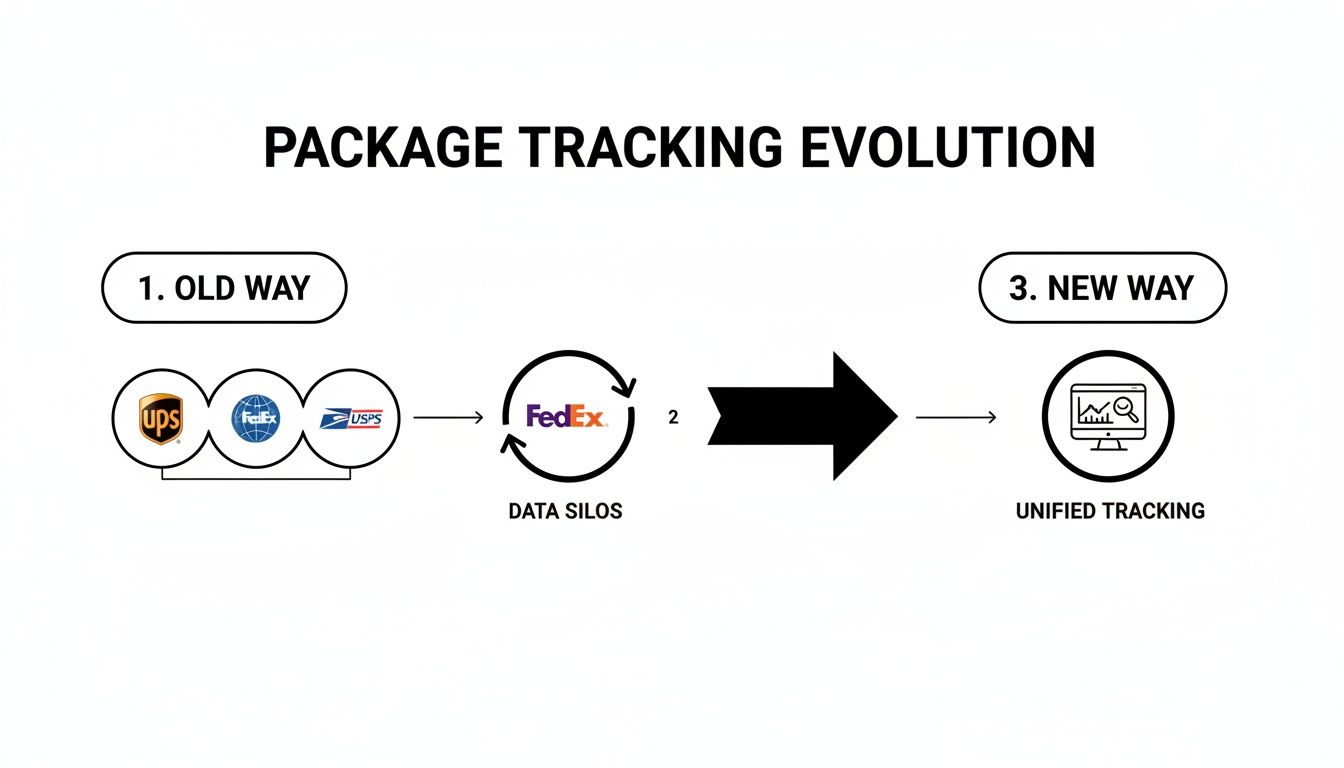
As you can see, pulling all that tracking data into one spot is what cuts out the complexity and saves a ton of time.
Handling Shipments at Scale
Now, for anyone managing a lot of packages—like e-commerce sellers or customer support teams—adding numbers one by one just won't cut it. This is where bulk tracking features are a game-changer. Instead of single entries, you can add a bunch of tracking numbers all at once. The most common ways to do this are:
- Copying and pasting a list: Many tools let you just paste a whole column of tracking numbers from a spreadsheet directly into a text box.
- Uploading a file: For bigger jobs, you can usually upload a CSV or text file containing all your tracking numbers and have them processed in seconds.
This is the kind of functionality that lets a business track multiple shipments without someone having to spend their afternoon on manual data entry. Picture an online store owner who needs to check on 50 different orders that just went out. Instead of performing 50 individual searches, they upload one file and get a complete status report almost instantly. If you need a tool with these capabilities, our guide on finding the right universal package tracker can point you in the right direction.
Getting this workflow locked in—gather, paste, and monitor—is really the secret to ending the tracking chaos. It’s a simple shift, but it puts you firmly back in control.
Tailoring Your Tracking for Different Needs
The way you track packages really boils down to why you're tracking them. An avid online shopper has completely different priorities than an e-commerce seller juggling hundreds of daily orders. The beauty of a centralized tracking system is its flexibility—it can adapt to fit each of these roles, turning from a simple convenience into a mission-critical business tool.
To get the most out of any tracking platform, you have to understand these different use cases. Each group leans on different features and workflows to solve their unique problems.
Workflows for Online Shoppers
For most of us, tracking is all about peace of mind. We just want to know where our stuff is and when it’s going to show up, especially when the holiday shopping season hits full swing. A unified dashboard saves you from the headache of digging through old emails to find tracking links from a dozen different stores.
Instead of a chaotic mess of bookmarks and open browser tabs, you get one clean, simple list of everything you've ordered. This is a game-changer when you need to track multiple shipments that are all supposed to arrive around the same time.
Here are a few ways I've seen shoppers use a central tracker:
- Holiday Shopping Command Center: Create a custom label like "Holiday Gifts" for all your seasonal orders. This lets you see at a glance if anything is running late so you can make sure everything arrives on time.
- Smarter Delivery Alerts: Set up push or email notifications for the "Out for Delivery" status. It’s a simple trick that helps you plan your day and avoid missed deliveries or, worse, porch pirates.
- The Family Hub: If you’re the one who handles orders for everyone in your house, a single dashboard is a lifesaver. You can keep an eye on everyone's packages without having to log into their email accounts.
Proactive Management for E-commerce Sellers
If you're running an e-commerce business, tracking isn't just a passive activity; it's a core part of your customer service and operations. A good centralized dashboard acts as the command center for your entire fulfillment pipeline. You can spot a problem—like a package that’s been stuck in a distribution center for three days—long before the customer even thinks to ask.
This proactive approach is everything. When you can spot a shipping delay and reach out to the customer before they send that dreaded "Where is my order?" email, you turn a potential negative into a huge positive. It builds an incredible amount of trust and lightens the load on your support channels.
For sellers, a multi-carrier tracking tool is a direct line to improving the post-purchase experience. It provides the visibility needed to manage expectations, solve problems early, and reduce customer anxiety.
Some key workflows for sellers look like this:
- The Daily Health Check: First thing in the morning, filter your dashboard for any shipments flagged with an "Exception" or "Delayed" status. This lets you immediately jump on the phone with the carrier or give the customer a heads-up.
- Branded Tracking Links: Instead of just sending a raw tracking number, share a link to a branded tracking page. This keeps customers engaged with your brand and gives them clear, easy-to-read updates.
- Carrier Performance Analysis: Over time, use your delivery data to see which carriers are knocking it out of the park in certain regions and which ones are consistently dropping the ball.
Empowering Customer Support Teams
Your customer support team is on the front line, fielding shipping questions all day long. When a customer calls, they need the right information, and they need it now. A shared, centralized dashboard is the best tool you can give them, ensuring every agent has access to the exact same real-time data. To truly arm your team, finding the best package tracking app with collaborative features is a must.
This completely eliminates the classic "let me put you on hold while I check" routine where an agent fumbles through multiple carrier websites. With a single search, they can see a package's full journey, current status, and ETA, letting them resolve issues in seconds. That kind of speed and accuracy makes for happier customers and a much more efficient team.
Tracking Features for Different User Roles
To make it even clearer, let's break down which features matter most to each group. While everyone benefits from a central view, the day-to-day value comes from different functionalities.
| Feature | Benefit for Online Shoppers | Benefit for E-commerce Sellers | Benefit for Support Teams |
|---|---|---|---|
| Unified Dashboard | See all personal orders from different stores in one place. | Monitor all outgoing shipments across multiple carriers from a single screen. | Quickly look up any order without switching between carrier websites. |
| Real-Time Notifications | Get alerts for key statuses like "Out for Delivery" to prevent missed packages. | Receive proactive alerts for delays or exceptions to get ahead of customer issues. | Have immediate access to the latest tracking event when a customer calls. |
| Custom Labels/Filters | Organize packages by event (e.g., "Holiday Gifts," "Birthdays") for easy management. | Filter shipments by status (e.g., "Delayed") for daily operational checks. | Find specific orders faster using filters like order number, customer name, or date. |
| Shareable Tracking Pages | Easily share tracking info with family members. | Provide a branded, user-friendly tracking experience instead of a raw carrier link. | Send customers a direct, easy-to-understand link to see their package's status. |
| Delivery Analytics | See how long packages typically take from favorite stores. | Analyze carrier performance to optimize shipping strategies and reduce costs. | Identify recurring shipping issues with certain carriers or regions. |
Ultimately, a powerful tracking system isn't a one-size-fits-all solution. It's about having the right set of tools that can be adapted to who you are and what you need to accomplish, whether that's simply waiting for a new pair of shoes or managing a global logistics operation.
Decoding International and Cross-Border Tracking
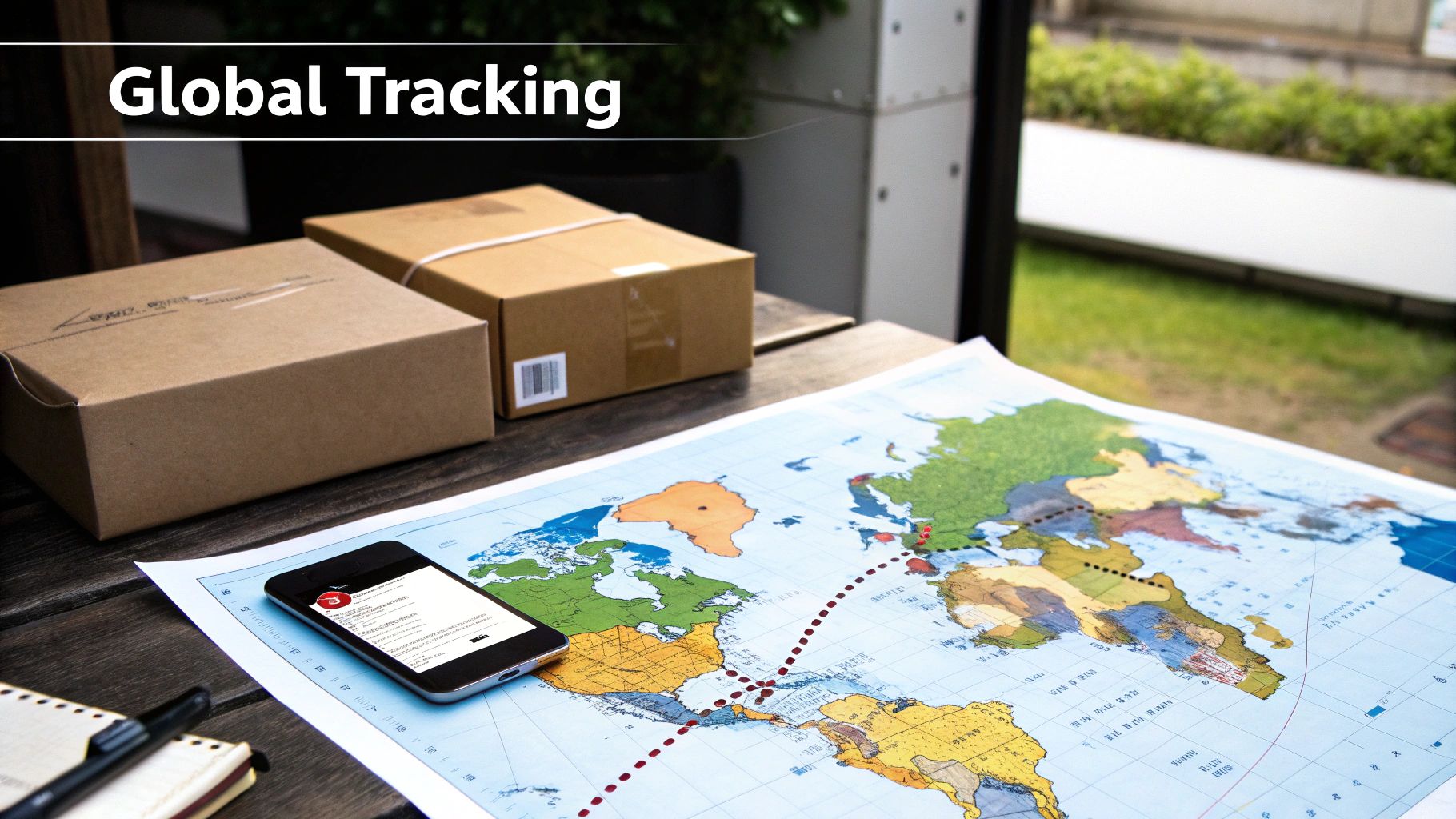
When a package crosses a border, tracking it can feel like shouting into a void. What started as a straightforward journey with one carrier suddenly involves customs agencies, freight forwarders, and different local postal services. Each time the package changes hands, there’s a new chance for delays and confusing status updates.
This isn’t a rare occurrence anymore; it’s the new normal. The rise of cross-border e-commerce, driven by giants like Temu and Shein shipping directly from factories, has completely changed the game. Think about it: in Europe, nearly half of all online shoppers are now buying from Chinese sellers. In this global marketplace, having a unified platform to track multiple shipments isn't just a nice-to-have, it's essential. You can read more about the impact of cross-border commerce on the CEP market to see just how big this shift is.
Following a Package Across Continents
Let's walk through a common scenario. You order something from a global marketplace, and it ships from a warehouse in Asia. For the first few days, a local carrier like China Post handles the package, and your tracking number works perfectly on their website.
But then, it seems to vanish. Once the package leaves the origin country, the original tracking number often goes silent. It’s now with an international transit carrier, and this is where most people get stuck, refreshing a page that hasn't updated in a week.
A universal tracking platform is the bridge across these information gaps. It connects the dots by pulling data from every carrier involved, translating each step into a single, coherent timeline.
Finally, the package lands in your country and gets handed off to a local service—say, USPS in the U.S. or Royal Mail in the U.K.—for the final mile. This handoff usually creates a brand new local tracking number. Without a tool that links these automatically, you might never even know it exists.
What Those Confusing Statuses Really Mean
International shipping has its own language, and it's not always clear. A good tracking tool will cut through the jargon and tell you what’s actually happening in plain English.
Here are a few common statuses and what they mean in the real world:
- Customs Clearance Started: Don't panic. This just means your package has arrived and is waiting in line for customs officials to check its paperwork.
- Handed to Local Post: Good news! Your package made it through customs and is now with the local mail service for the last part of its journey.
- Held at Customs: This one sounds scary, but it usually just means there's a backlog. Sometimes, they might need more information, like proof of value or a better description of what’s inside.
Trying to piece this journey together yourself means bouncing between multiple carrier websites, trying to connect the dots. A universal tracker does all that heavy lifting for you, giving you one clear view from the seller’s warehouse right to your front door. It’s really the only way to keep your sanity when a package is changing hands across the globe.
Troubleshooting Common Tracking Issues
Even with the best tracking dashboard, shipping hiccups are just part of the game. When you're juggling dozens of packages, you're going to run into some confusing statuses. The trick is knowing how to read the tea leaves and what to do next, so you can turn a moment of panic into a clear plan.
Let's face it, the sheer volume of packages moving around the globe is staggering. The courier, express, and parcel (CEP) market is expected to balloon from USD 572.1 billion in 2025 to over USD 1,158.6 billion by 2032. You can dig into the growth of the CEP market and its challenges on MetaStat Insight for more details. With that many boxes in motion, delays and scanning errors are bound to happen.
When a Tracking Number Isn't Found
We’ve all been there. You get the "Your Order Has Shipped!" email, rush to track it, and... "Tracking Number Not Found." It's a common and usually harmless error.
This almost always means the seller has printed your shipping label, but the carrier hasn't actually scanned the box into their system yet. The tracking number exists, but it won't go live until that first official scan happens.
- Your Action Plan: Just wait it out for 24-48 hours. Give the system a little time to catch up. If two business days go by and you still see nothing, that's your cue to reach out to the seller and double-check that the package was actually picked up.
Decoding the Dreaded 'Stalled in Transit' Status
Seeing your package sit in the same spot for days is frustrating, but it rarely means it's lost for good. Usually, it's just traveling through a "blind spot" between major carrier hubs.
This is especially common for cross-country or international shipments. Your package could be on a long-haul truck or a cargo plane for days with no opportunity for a scan.
A stalled package isn't necessarily a lost package. It's often just in a "blind spot" between carrier hubs. Patience is key, but knowing when to act is crucial.
Package Marked Delivered But It's Nowhere in Sight
This is easily the most stressful one. Your phone buzzes with a delivery notification, but your doorstep is empty. Before you jump to conclusions, take a deep breath and run through a quick checklist.
Here’s my go-to process:
- Check Everywhere: Do a full sweep. Look behind planters, check side doors, ask a neighbor. Delivery drivers can get creative.
- Wait a Bit: Sometimes drivers mark packages as "delivered" at the start of a street or apartment complex. Give it until the end of the day before you worry.
- Contact the Carrier: If it hasn't shown up by the next business day, it's time to call the carrier. They have GPS data that can pinpoint the exact delivery scan location and can open an official trace if needed.
Answering Your Top Questions About Tracking Packages
Even with the best tools, you're bound to have questions when you're juggling multiple shipments. Whether you're an occasional online shopper or running a full-blown ecommerce operation, getting fast and clear answers makes all the difference. We’ve pulled together some of the most common questions we hear all the time.
Let's dive into the specifics so you can tackle any tracking challenge and get the most out of your workflow.
What If I Don't Know Which Carrier Has My Package?
You absolutely can still track it. This is precisely the problem that modern universal tracking platforms were built to solve. They use something called carrier auto-detection, which takes all the guesswork out of the equation.
All you have to do is paste the tracking number into the search bar. The system instantly analyzes the number's format and figures out which courier is handling it—whether it's UPS, FedEx, DHL, or even a national service like Australia Post.
How Can I Get All My Delivery Notifications in One Place?
This is where a centralized tracking tool really shines. Instead of dealing with a flood of emails and push alerts from every single carrier's app, you can funnel all those updates through a single platform.
Once your tracking numbers are in the system, just flip on email or browser notifications. From then on, you’ll get one clean, organized stream of updates for all your packages. You'll know right away when something is "Out for Delivery" or "Delivered," no matter who the carrier is.
The real game-changer here is turning that chaotic mess of alerts from a dozen different sources into a single, reliable notification stream. It gives you an instant, clear picture of every package you have coming in or going out.
Can I Really Track My International and Domestic Orders Together?
Yes, and honestly, this is one of the biggest wins of using a unified system. These services connect with hundreds of carriers across the globe. That means you can watch a domestic USPS shipment on the exact same dashboard as an international package coming from China Post.
The platform does the heavy lifting by standardizing all the tracking data. It translates confusing or varied carrier statuses into a simple, consistent format you can actually understand. This gives you a seamless view of every single package, making the whole process to track multiple shipments feel so much simpler.
My Tracking Status Hasn't Updated in Days. What Should I Do?
First, don't panic. A stalled tracking status feels alarming, but it’s often a normal part of the shipping journey, especially for international orders. It’s pretty common for packages to go quiet for a few days when they're in transit between countries or sitting in customs waiting for clearance.
However, if you see no updates for more than 5-7 business days and there isn't a clear explanation (like a known customs delay), it's probably time to take action. The best first move is to reach out to the seller or contact the shipping carrier directly. They can open an investigation and give you a much clearer idea of where your package actually is.