
Track Shopee Order Shipments from Any Carrier
We’ve all been there—that little thrill after tapping "Place Order" on Shopee, quickly followed by the classic question: "Where's my stuff?" Let's cut to the chase. You have a few solid options for keeping tabs on your package: you can track it right inside the Shopee app, head over to the courier's own website, or use an all-in-one parcel tracker to see everything in one place.
Why Bother Tracking Your Shopee Order?
Knowing how to track your Shopee order isn't just about feeding your impatience. It's about staying in control and managing your expectations. With countless packages zipping around every single day, having a clear view of your delivery’s journey gives you real peace of mind. You're not just waiting for a box to show up; you're planning your day around it, especially if it's something you need urgently or a big-ticket item.
The Sheer Scale of Shopee's Logistics
Shopee's growth in Southeast Asia has been nothing short of explosive, making it the go-to marketplace for millions. Its Gross Merchandise Value (GMV) ballooned from $55.1 billion in 2023 to a projected $83.4 billion in 2024. That’s a staggering 29.1% jump in just one year.
Think about what that means for deliveries. Shopee now handles nearly 48% of the region's entire e-commerce spending, which translates to a mind-bogglingly complex logistics network. Reliable order tracking isn't just a nice-to-have feature; it’s absolutely essential to the whole experience.
Putting You Back in the Driver's Seat
When you know how to follow your package, you’re no longer just passively waiting. It gives you the power to:
- Actually plan your day: Get a realistic idea of when your package will arrive so you can be home.
- Catch problems early: Spot if a shipment gets stuck somewhere or if a delivery was attempted while you were out.
- Have a better conversation: If you need to contact support, you'll have specific details like your tracking number and the last known status, which makes everything go smoother.
Ever wonder how massive platforms like Shopee manage millions of orders so effectively? The backend systems are incredibly sophisticated. For a look under the hood at what it takes to build these systems, our guide on custom marketplace development offers some fascinating insights.
Before we dive into the step-by-step instructions, here’s a quick overview of your tracking options to help you decide which method works best for you right now.
Shopee Order Tracking Methods at a Glance
This table quickly breaks down the three main ways you can track your order, so you can see the pros and cons of each at a glance.
| Tracking Method | Best For | Pros | Cons |
|---|---|---|---|
| Shopee App/Website | Quick, everyday tracking and managing orders in one place. | Super convenient, fully integrated, provides order details. | Updates can sometimes lag behind the courier's direct feed. |
| Courier's Official Website | Getting the most detailed, real-time tracking updates straight from the source. | Often the most up-to-date information, includes detailed transit history. | Requires you to know the courier and find their specific site. |
| Universal Parcel Tracker | Tracking multiple orders from different stores and couriers all at once. | Consolidates all your shipments, auto-detects couriers. | May not have direct integration for resolving issues with Shopee. |
Each method has its place, and knowing when to use which one will make your online shopping experience that much smoother. Now, let's get into the specifics of how to use them.
Your first and best bet for tracking a Shopee order is right inside the app itself. Before you even think about opening a new browser tab, remember that Shopee's platform is designed to give you a full picture of your order's journey, from the moment you click "buy" to the second it lands on your doorstep.
How to Track Your Order in the Shopee App
Getting to your tracking information is straightforward. Just head to the "Me" tab, which you'll usually find in the bottom right corner of the screen. This is your personal hub for everything related to your account.
Look for the "My Purchases" section. You’ll see a few statuses like "To Pay" and "To Ship," but the one you want is "To Receive." Once a seller has handed your package over to the courier, your order will pop up here.
Tap on the specific order you're waiting for. This brings you to a detailed screen where you can see the product, the seller, and right at the top, the "Shipping Information" status.
Giving that status a tap is what gets you to the good stuff—a real-time timeline of every single scan and update from the courier.
Making Sense of the Tracking Page
Once you're on the tracking page, you'll see a few crucial details that tell the whole story of your package's trip.
- The Courier: Shopee clearly names the company handling the delivery, whether it's their own SPX Express, J&T Express, or another partner.
- The Tracking Number: This is your package's unique ID, often called an Air Waybill or AWB. Shopee puts this front and center, usually with a handy "Copy" button right next to it.
- The Timeline: This is a step-by-step log of your parcel’s adventure. It starts with "Seller is preparing to ship your order" and continues with updates like "Parcel has been picked up" and, the one we all wait for, "Out for delivery."
The Air Waybill (AWB) number isn't just a string of digits; it’s the universal key for your package. You'll need it if you decide to track directly on the courier's website or if you have to contact their customer support for any reason.
This all-in-one system is incredibly convenient because it pipes tracking data directly into the app you already use. No need to juggle different websites.
That said, understanding what a tracking number is and where to find it is a handy skill, especially when managing orders from multiple stores. If you want a deeper dive, you can learn more about finding your tracking number in our detailed guide.
By getting comfortable with the in-app timeline, you can easily follow your package’s progress and get a much better idea of when to expect its arrival.
Decoding Shopee Shipping Status Updates
When you're tracking a Shopee order, the shipping updates can feel a bit like trying to read a secret code. You see statuses like “Arrived at sorting center” or “Parcel is out for delivery,” but what’s actually happening behind the scenes with your package?
Let's break down these messages. Each status update is a digital check-in, a milestone marking a specific point in your package’s journey. Understanding them turns a confusing timeline into a clear roadmap from the seller’s warehouse straight to your front door.
This flowchart gives you a quick visual guide to your order's status, starting with the most important first step: dispatch.
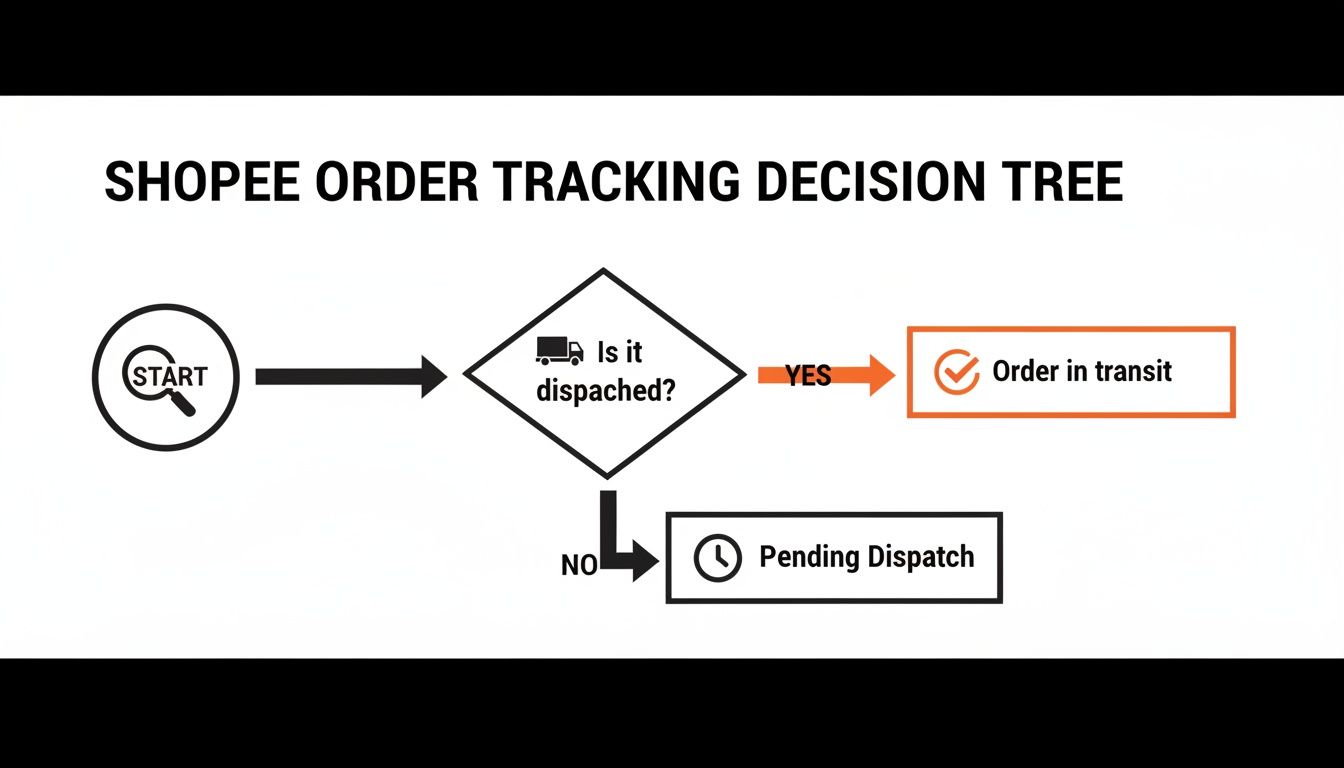
As the chart shows, once your item is dispatched, the logistics process is officially in motion.
To give you an even clearer picture, we've put together a table explaining the most common statuses you'll encounter on your Shopee tracking page.
Common Shopee Tracking Statuses Explained
| Tracking Status | What It Means | Next Step |
|---|---|---|
| Seller is Preparing to Ship | The seller has received your order and is packing it. The package hasn't been handed over to the courier yet. | Just hang tight. The seller has a set time to ship the order, which you can see in your order details. |
| Parcel Has Been Picked Up | The courier has officially collected the package from the seller. It's now in the delivery network. | The package will start moving toward a sorting facility. You should see another update within 24-48 hours. |
| Arrived at Sorting Center | Your package is at a major logistics hub where it's being sorted with thousands of others to be routed to your region. | It may pass through several of these centers. This is a normal part of the journey, especially for long-distance deliveries. |
| Parcel is Out for Delivery | This is the one everyone's waiting for! Your package is in a local delivery vehicle and is scheduled to arrive today. | Be ready to receive your package. Delivery can happen anytime between morning and late evening. |
| Delivery Attempt Was Unsuccessful | The driver tried to deliver the package but couldn't (e.g., no one was home, unsafe location, incorrect address). | The courier will usually attempt redelivery on the next business day. Check the tracking for specific instructions. |
| Delivered | Success! The package has been dropped off at your shipping address. | Check your doorstep or with your household members. If you still can't find it, contact Shopee support immediately. |
These updates give you a real-time story of your package's location. The "in-transit" period, which covers everything from pickup to the final delivery scan, can be the longest and most unpredictable part. For a deeper dive, our guide on what "in transit" really means for your delivery breaks down everything that happens during this crucial stage.
Keep in mind that "Out for Delivery" doesn’t mean your package is just minutes away. Delivery drivers often have routes with 100+ stops, so your delivery could be at the beginning, middle, or end of their day.
Patience is key, but knowing what each scan means empowers you to spot potential issues. If you see an "unsuccessful delivery" attempt or the tracking hasn't updated in a few days, it might be time to reach out to the courier or Shopee's customer service for more information.
What to Do When Shopee Tracking Goes Wrong
Even the best tracking systems have their off days. You might find yourself frantically refreshing the page, only to see the same status staring back at you for days on end. Or worse, you get an update that makes absolutely no sense.
Don't panic. Most of these hiccups have a simple explanation and a straightforward fix. Let’s walk through the most common headaches, from a tracking number that seems to lead nowhere to a package that’s vanished after being marked "Delivered."
Your Tracking Number Shows "No Results"
You copy the tracking number, paste it into the courier's website, hit enter, and... nothing. "No results found." It's a common scare, but it almost never means your package is lost in the void.
More often than not, it's one of two things:
- You're just a little too early. It can take a full 24 to 48 hours for a tracking number to go live in the system. The number only becomes active after the courier performs the first scan at their facility, not the second the seller prints the label.
- A simple copy-paste error. It's incredibly easy to miss a digit or add an extra space at the end. Give it a quick double-check to make sure the number you're using is exactly what Shopee provided.
If it's been over 48 hours and you've confirmed the number is correct, it's time to reach out. Drop a polite message to the seller and ask them to confirm the package has been handed over and to verify the tracking details.
The Tracking Status Has Been Stuck for Days
Another classic source of anxiety: your package arrives at a sorting center and then... silence. For days. While it feels like it's been abandoned, your parcel is almost certainly still on its journey. It just hasn't hit a major checkpoint where it gets scanned.
This kind of radio silence usually happens when:
- The package is in transit over a long distance between major logistics hubs.
- Courier networks are swamped due to high volume, especially during big sales like 11.11 or the holiday rush.
- It's being handed off between different delivery partners, causing a slight delay as the tracking data catches up.
My rule of thumb? Don't start worrying until there's been no update for at least three to five business days. If it’s been more than a week with zero movement, that's your cue to investigate. Start with the courier’s customer service, and if they can't help, escalate it to Shopee Support.
Your Order Says "Delivered," But It's Nowhere to Be Found
This is easily the most heart-stopping notification to get. The app says your package has arrived, but a search of your front porch comes up empty. Before you assume the worst, run through this quick checklist.
- Do a thorough search. Check behind planters, at the back door, with a friendly neighbor, or with your building's receptionist. Couriers sometimes tuck packages away to keep them safe.
- Check with others at home. Ask if a family member or roommate might have brought it inside and forgotten to mention it. It happens more than you'd think!
- Confirm your shipping address. Open your order in the Shopee app and triple-check that the address is 100% accurate. A single typo in a street name or unit number can send a package astray.
If you’ve done all that and your package is still M.I.A., you need to act quickly. Contact Shopee's customer service within 24 hours of the "Delivered" update. This is critical because it allows them to immediately launch an investigation with the courier and request proof of delivery, like a delivery photo or the GPS data from the final scan. The faster you report it, the better your chances of a successful resolution.
Using a Universal Tracker for All Your Orders
If you're anything like me, you probably have orders coming from Shopee, Lazada, and a handful of other online stores at any given time. Trying to keep track of them all usually means hopping between different courier websites, each with its own weird layout and confusing status updates. It gets old, fast.
This is exactly why a universal parcel tracker is such a lifesaver. The whole idea is to give you one single place—one dashboard—to watch every single shipment, no matter which carrier is bringing it to your door.
One Search Bar to Rule Them All
Instead of juggling a dozen browser tabs, a universal tracker simplifies everything. You just take your tracking number, pop it into a tool like Instant Parcels, and it does the heavy lifting. It automatically figures out the courier and lays out the package's entire journey for you.
This isn't just a minor convenience. For anyone who shops online regularly, and especially for small business owners, this is about getting a huge chunk of your time back and making logistics feel less like a chore.
Imagine seeing all your shipments neatly organized on one screen.
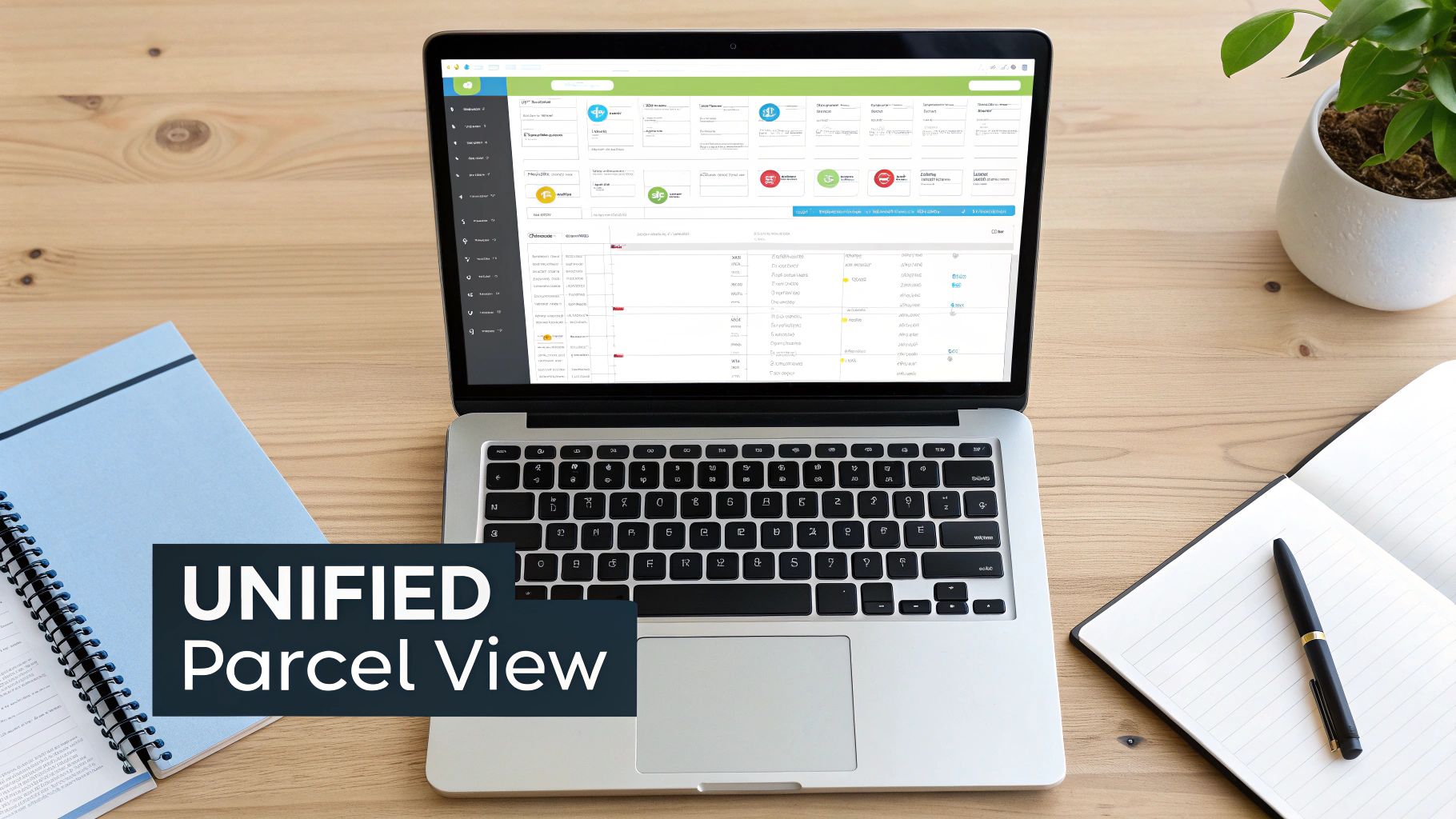
This kind of consolidated view pulls everything together into a clean, easy-to-follow timeline. No more guesswork.
For sellers, this is even more critical. Consider the top-selling categories on Shopee. In Singapore, for instance, Q1 2024 was dominated by home & living and beauty & personal care. If you're selling in these high-volume spaces, you're dealing with a constant stream of orders. A unified tracker becomes absolutely essential for managing customer questions and just keeping your head above water.
Key Takeaway: For anyone managing more than a couple of shipments at once, a universal tracker turns a messy, chaotic process into something you can actually manage. It becomes your single source of truth for every package heading your way.
Benefits Beyond Basic Tracking
So, what makes a dedicated tracking platform better than just sticking with the individual courier sites? It boils down to a few key advantages:
- Courier Auto-Detection: Forget trying to remember if your parcel is with SPX Express, J&T, or someone else. The system identifies the carrier from the tracking number alone.
- Standardized Updates: It translates all the different courier jargon ("Arrived at Sorting Hub," "Processing at Delivery Facility") into simple, consistent language that actually makes sense.
- A Complete History: You can easily pull up the tracking history for past deliveries without digging through old emails or sifting through your Shopee order history.
While diving deep into large-scale supply chain automation strategies shows how complex this all gets for big companies, the benefit for the rest of us is crystal clear: less time spent hunting for information and more time knowing exactly where your stuff is.
Common Questions About Shopee Tracking
Even when you know the ropes, tracking a Shopee order can sometimes throw you a curveball. Let’s tackle some of the most common questions that pop up for both buyers and sellers, so you know exactly what to do when you hit a snag.
My Tracking Number Isn't Working. What's Going On?
You just got your tracking number, you eagerly paste it into the search bar, and… nothing. "No results found." It’s a common moment of panic, but don't worry—this is usually normal.
A tracking number needs 24 to 48 hours to come to life. The seller first arranges the shipment, but the number only becomes active after the courier picks up the parcel and gives it that first, all-important scan. That’s the moment it officially enters their system.
If a couple of days have passed and there’s still no update, it’s time to reach out. A quick, friendly message to the seller is the best next step. They can check on their end and confirm if the package has actually been handed over to the courier.
Think of a tracking number like a concert ticket. You might have the ticket in hand, but it only shows you've "entered the venue" once it's scanned at the gate. Give it a little time to get scanned.
Can I Change My Delivery Address After the Item Has Shipped?
This is a tricky one. Once an order is out the door and with the courier, you can't just change the address in the Shopee app. The logistics machine is already humming along, and that shipping label is pretty much set in stone.
Your best shot is to contact the courier’s customer service team directly and as quickly as possible. Have your tracking number handy and explain the situation. If the package is still in the early stages of transit, some couriers might be able to redirect it, but it’s never a guarantee. The sooner you call, the better your odds.
Help! My Package Is Being "Returned to Sender."
Seeing a "Return to Sender" status update is definitely frustrating. It means the courier tried to deliver your package but couldn't. This usually happens for a few reasons: the address was wrong, no one was home after multiple attempts, or the recipient refused it.
The package is now on its way back to the seller.
If you still want your items, get in touch with the seller right away. Let them know what’s happening and figure out the next steps. They might be able to re-ship it once they get it back, but you'll likely have to cover the new shipping fee. Open communication is your best bet for sorting it out.